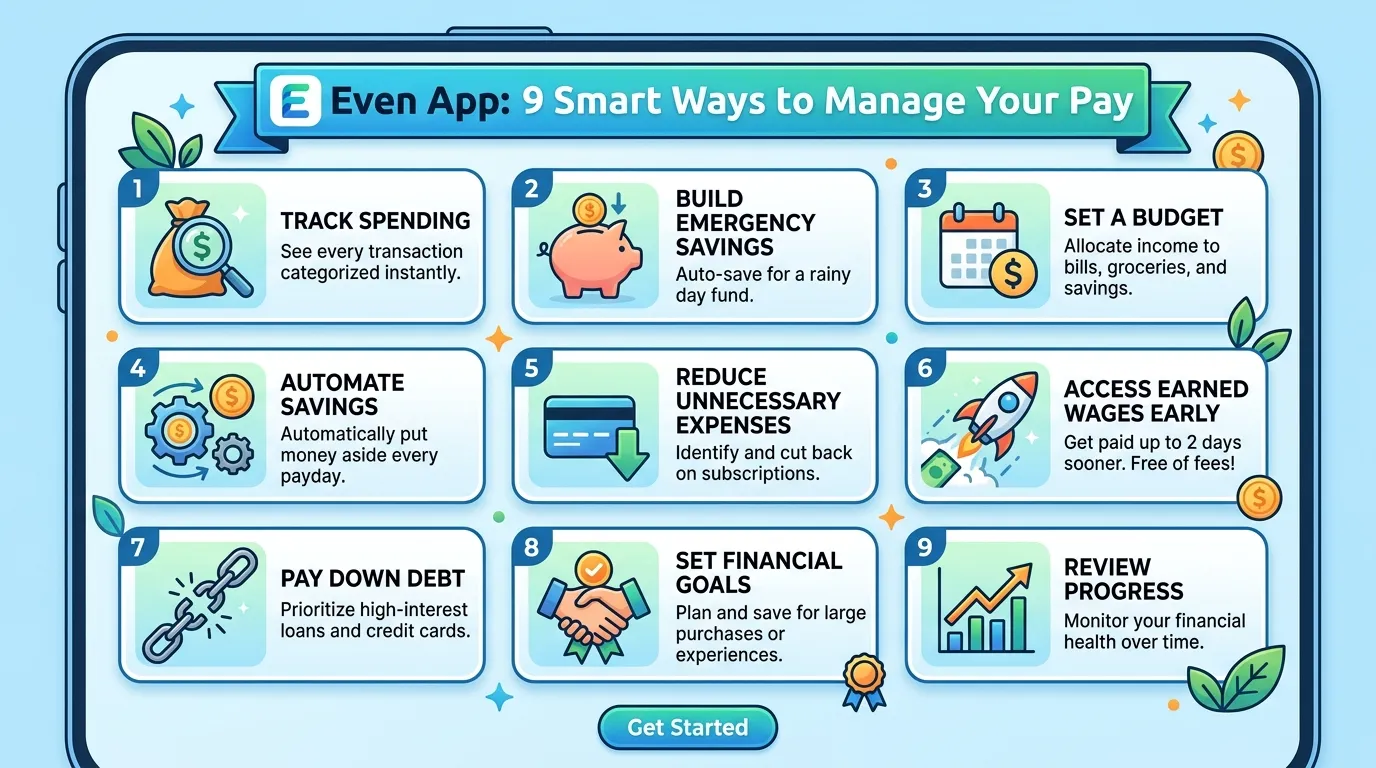
Payday does not always arrive when a bill does. A car repair, school cost, or power bill can appear first.
The Even app was built to make that gap easier to manage. Today, you may see the service called ONE@Work or OnePay @Work. The exact name can depend on your employer and app access. However, the main idea remains simple. Eligible workers can view earnings, plan spending, save money, and access part of earned pay before payday.
Still, early wage access needs careful use. It can solve a short-term problem, but it also reduces your next paycheck. Therefore, you need to understand the tools before tapping a transfer button.
This guide explains how the service works in plain English. You will learn who can join, how Instapay works, and which fees may apply. You will also get practical budgeting tips, safety advice, and answers to common questions.
What Is the Even App Today?
The Even app started as an employee financial wellness tool. It later became ONE@Work. Current official pages also use the name OnePay @Work.
That name change can feel confusing. You may see ONE@Work in an app store or an @Work tile inside OnePay.
Your employer must offer the service as a workplace benefit. Therefore, you cannot access every feature by downloading it alone.
Once you have access, available tools may include:
- Estimated earnings based on reported work
- Instapay earned wage access
- Paycheck and shift tracking
- A simple monthly budget
- Automatic savings
- Payment history
- Support through the app
Your exact features may vary. That happens because each employer chooses how the benefit works.
Is it a payday loan?
Instapay lets eligible workers access part of wages they have already earned. Therefore, it differs from borrowing against future work.
However, the money still comes from your upcoming pay. If you take $100 early, your later paycheck will usually be $100 lower. That is why you should treat Instapay as an advance in timing, not extra income.
Pro Tip: Before taking an Instapay, open your calendar. Check which bills must come from your next paycheck.
How the Even App Works
The Even app connects employer payroll data with personal money tools. First, it estimates what you have earned so far. Then, it shows any amount available through Instapay.
The available amount may depend on:
- Hours reported by your employer
- Your pay rate
- Estimated taxes and deductions
- Employer rules
- Your next payday
- Previous Instapay activity
Because payroll data can change, the number is only an estimate. Some corrections may not appear at once.
What Instapay does
Instapay provides access to a percentage of eligible net earnings. It does not usually release your entire estimated paycheck.
You choose an available amount and delivery method. Then, the service sends the money to an eligible destination. Your employer may support a bank deposit, OnePay account, or another option.
Most delivery choices are free. However, a small fee may apply to some instant deposits. This depends on how your employer has set up the benefit.
What the budgeting tool does
The budget feature compares expected income with regular expenses. However, no app knows every future cost. Therefore, review the plan often.
How to Set Up the Even App in 8 Steps
The setup process may look different after the product name changes. Still, these steps cover the usual path.
- Ask your employer about access.
First, confirm that your workplace offers OnePay @Work or ONE@Work. You cannot unlock the full service without employer support. - Use the official download route.
Follow your employer’s link or use an official app store. Avoid download pages from unknown websites. - Open the app and start registration.
Enter the mobile number or email address requested on screen. - Verify your identity.
You may receive a one-time code. Never share that code with another person. - Match your employer record.
Enter accurate details, such as your name and workplace information. Small differences can block account matching. - Review your @Work dashboard.
Check your estimated earnings, payday, and available features. - Add a payment destination.
Follow the prompts and double-check every bank detail. - Turn on account security.
Use a strong passcode and biometric login.
The Even app may not show earnings right away. Payroll information can take time to sync. Therefore, wait for your employer’s data before assuming the account has failed.
9 Smart Ways to Use the Even App
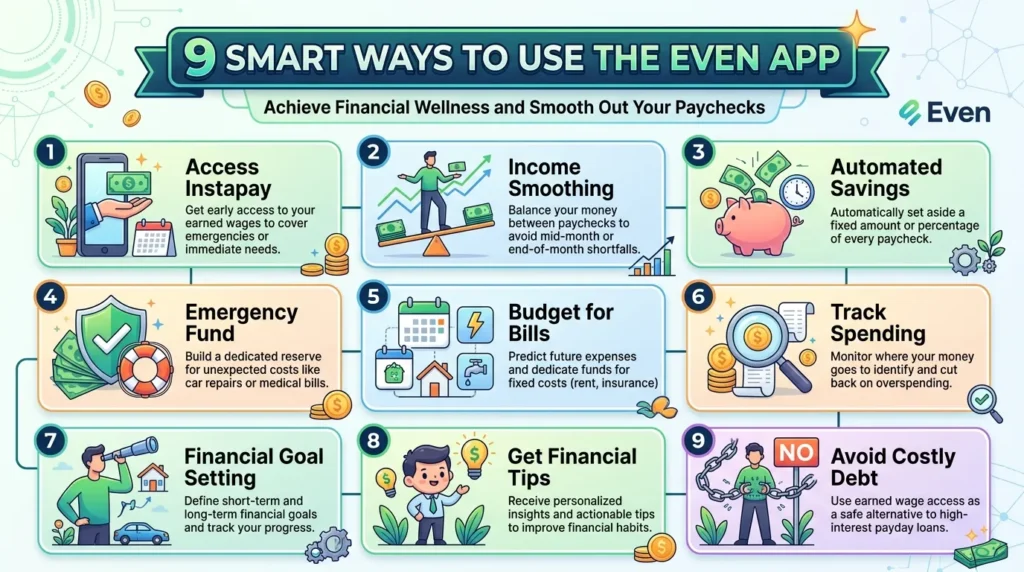
A money tool works best when you use it with a plan. These nine habits can make the Even app more helpful.
1. Check earnings, but remember they are estimates
The earnings screen can help you plan. However, do not treat every number as a final pay stub.
Compare the estimate with your schedule. Then, review your official paycheck when it arrives.
2. Use Instapay for real timing problems
A needed car repair may help you get to work. An overdue utility bill may also need quick attention.
However, early pay should not fund routine impulse spending. That habit can leave every future paycheck short.
3. Calculate your next paycheck first
Before requesting money, subtract the Instapay from your expected net pay. Then list the bills due after payday.
For example, suppose you expect $900. If you take $150 early, plan around roughly $750 later.
4. Choose free delivery when time allows
A fast deposit feels convenient. Still, even a small fee can add up.
Therefore, compare every delivery option before confirming. Choose the free route when the bill can wait.
5. Start with a small savings goal
Saving $10 or $20 per paycheck may feel modest. However, regular small deposits can build a useful cushion.
The Even app may offer an automatic savings feature. Set an amount that does not make your weekly budget too tight.
6. Update your monthly expenses
Food and transport costs can change. Therefore, review your budget monthly and remove bills that have ended.
7. Keep your own emergency buffer
The app should support your plan, not become the whole plan. Start with one small savings target.
8. Watch for repeated early withdrawals
One Instapay may solve a rare problem. Several each month may signal a budget gap.
In that case, review fixed costs and pay timing. Also, consider speaking with a nonprofit credit counselor.
9. Review every transfer
Check the amount, destination, and expected paycheck impact. Then save the confirmation for your records.
Even App Features Compared
The Even app sits between a budgeting tool and an earned wage access benefit. It does not replace every financial product.
| Feature | Even app or OnePay @Work | Standard banking app | Payday loan |
| Requires employer support | Yes | No | No |
| Tracks estimated earnings | Often | Usually not | No |
| Accesses earned wages early | Yes, if eligible | Sometimes | No |
| Uses future borrowed money | No | Depends on product | Yes |
| Budgeting tools | Yes | Sometimes | Rarely |
| Automatic savings | May be available | Often | No |
| Cost | Usually free; some instant delivery may cost | Varies | Often expensive |
| Reduces next paycheck | Yes, after Instapay | Not usually | Repayment reduces later cash |
The service may cost less than high-cost borrowing. However, it still shifts money away from your next payday.
In my experience, it works best as a backup tool, not a weekly spending habit.
Common Even App Mistakes to Avoid
The Even app looks simple. Still, a few common mistakes can cause stress.
Thinking early pay is extra money
Instapay comes from wages you already earned. Therefore, your next paycheck will usually be smaller.
Always plan for that smaller deposit. Otherwise, you may need another Instapay soon after.
Trusting an estimate more than a pay stub
Work hours can change after a manager corrects a timecard. Taxes and deductions can also vary.
Use the earnings number for planning. However, use your official pay statement for final records.
Paying for speed every time
Some instant delivery options may include a fee. Repeated fees can quietly reduce your income.
Therefore, use free delivery when you have enough time.
Ignoring employer limits
Your employer controls parts of the service. It may limit transfer frequency, available amounts, or delivery methods.
Do not assume a coworker has the same options. Check your own screen and current terms.
Sharing verification codes
A scammer may pretend to offer account help. However, real support should not need your private sign-in code.
Never share one-time codes, passcodes, or full bank details. Also, avoid links from unexpected texts.
Is the Even App Safe?
OnePay says it uses multi-factor authentication, encryption, and risk checks. Still, your habits matter:
- Download only the official app
- Use a unique device passcode
- Enable face or fingerprint login
- Protect your email account
- Check bank details before transfers
- Review notifications quickly
- Contact official support after suspicious activity
The Even app handles sensitive payroll and financial information. Therefore, do not use it on an unlocked shared phone.
Even App FAQ
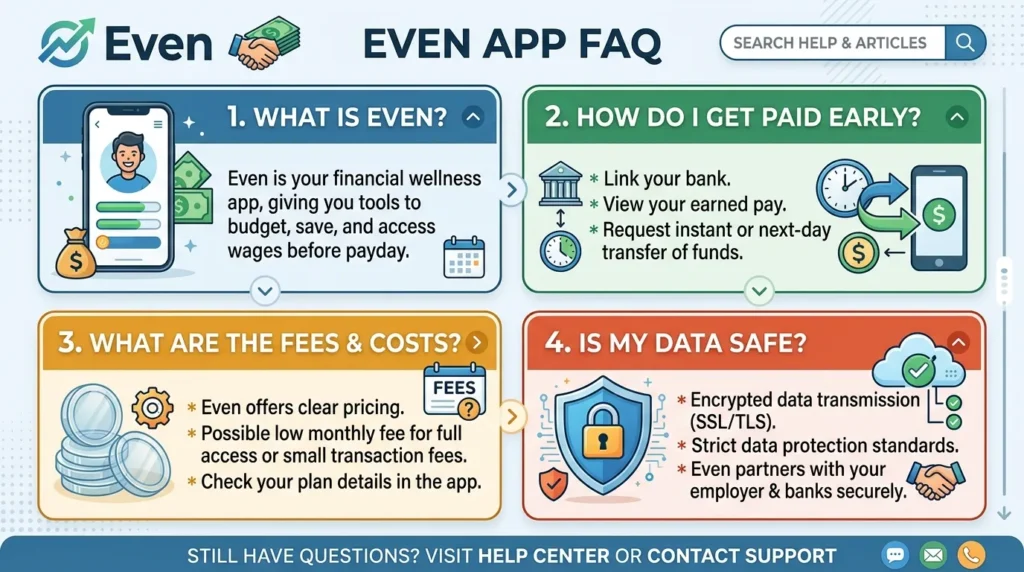
Is the Even app still available?
The product still exists, but its branding has changed. You may now see ONE@Work, OnePay @Work, or an @Work section inside OnePay.
Your employer can tell you which app or access route to use. Therefore, follow workplace instructions rather than an old download link.
Who can use the Even app?
The Even app is available only through participating employers. You cannot normally join just by downloading it.
Ask your manager or human resources team whether the benefit is included. Also, confirm which phone number matches your employee record.
Does the Even app charge a monthly fee?
OnePay @Work is described as a free employee benefit. Most Instapay delivery options are also free.
However, some instant deposits may include a small fee. The fee depends on employer setup and the selected delivery method.
How much money can I take with Instapay?
There is no single amount for every worker. Your available amount depends on earnings, deductions, employer settings, and previous activity.
Open the Instapay section to see your current amount. Remember, that number may change as payroll data updates.
Do I need a OnePay bank account?
You do not need to bank through OnePay to use many @Work tools. However, some destinations or extra benefits may differ.
Check your employer’s setup and the choices shown in your account.
Why are my earnings missing or wrong?
A delay often comes from payroll data, timecard edits, or a mismatch in employee details. First, compare the app with your work schedule.
Then, check with payroll or human resources. Contact app support if your employer confirms its records are correct.
Use the Even App Without Chasing Every Payday
The Even app can help you understand earnings, plan bills, and access eligible pay early. However, the best results come from careful use.
First, confirm that your employer offers the benefit. Then review every Instapay before you submit it. Also, remember that early money means a smaller paycheck later.
Use free delivery when possible. Keep your budget updated and start a small emergency fund. Over time, that fund may reduce your need for early pay.
Most importantly, follow current employer instructions because the product name has changed. Once your access is set up, use the tools as part of a wider money plan.