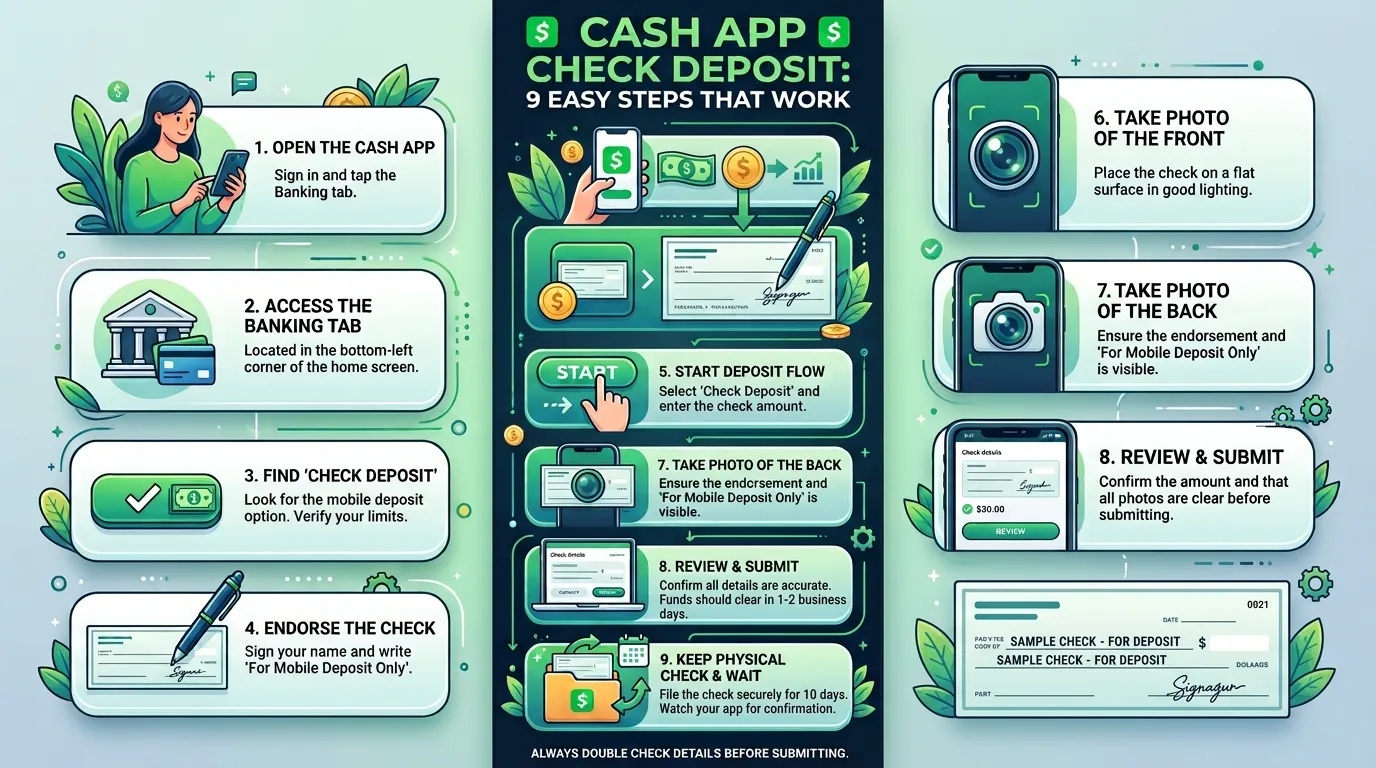
A paper check can feel oddly inconvenient when most of your money already moves through your phone. That’s why Cash App check deposit can be useful. It lets eligible users scan a paper check and add the funds to their Cash App balance.
However, the feature doesn’t appear for every account. Cash App also reviews each check before accepting it. Therefore, you need to prepare the check correctly and follow each prompt with care.
This guide explains the process from start to finish. You’ll learn who may qualify, which checks may work, and how long processing can take.
Ever wondered why one check gets accepted while another gets rejected? A missing endorsement, blurry photo, or old check can stop the process.
How Cash App Check Deposit Works
Cash App check deposit uses your camera to scan both sides of a check. Cash App reviews the images and details. If accepted, the money enters your balance.
The feature may appear as “Deposit Check” in the Money tab. However, Cash App decides which accounts get access.
In addition, Cash App can reject a check even when it seems to meet the basic rules. That means you shouldn’t rely on the deposit for an urgent bill. Keep another check-cashing option available when timing matters.
Eligible customers may use certain personal, payroll, cashier’s, or government-issued checks. Still, each check must pass review.
Is Cash App Check Deposit Available to Everyone?
No. Cash App check deposit is an account-based feature. Some adult accounts may see it, while others may not.
Sponsored accounts can’t use mobile check capture. Cash App may also change access based on account factors.
To check your access, open the Cash App and tap the Money tab. Look for the “Deposit Check” option. If it isn’t there, your account doesn’t currently have the feature.
Don’t pay anyone who promises to activate it. Also, never share your PIN, password, or sign-in code.
Pro Tip: Update Cash App before checking for the feature. Then restart the app and look again in the Money tab.
Cash App Check Deposit Requirements
Before starting a Cash App check deposit, review the check. One wrong detail can cause rejection.
Generally, the check should meet these conditions:
- The check is payable to you.
- You have the original paper check.
- A U.S. bank or credit union issued it.
- The check is payable in U.S. dollars.
- The writer signed the check.
- The date isn’t in the future.
- The check is no more than 180 days old.
- Nobody has deposited or cashed it before.
- The check hasn’t been altered.
- The amount stays within your in-app deposit limits.
- You can clearly photograph every important detail.
Cash App also requires a proper endorsement. Sign the back, then write “Cash App Deposit” as directed.
However, don’t add extra wording unless the app requests it. Follow the exact screen instructions.
Certain items aren’t eligible. These may include credit card checks, trust checks, estate checks, and checks payable to a business. Therefore, use another deposit method for those items.
What About Cash App Check Deposit Limits?
Cash App check deposit limits can vary by account. Also, the company may set limits for one check or for a daily, weekly, or monthly period.
Because limits differ, don’t rely on numbers from old blog posts. Check the amount inside your app before endorsing the check.
A large check may exceed your personal limit. In that case, your bank or the issuing bank may work better.
Cash App Check Deposit: Step-by-Step Guide
Ready to scan your check? Choose a flat surface with bright, even light.
Follow these nine steps:
- Open Cash App.
Sign in on the phone linked to your account. Make sure the app has camera access. - Tap the Money tab.
This tab shows your Cash App balance and deposit options. - Choose “Deposit Check.”
If you don’t see it, the feature isn’t available on your account right now. - Read the current instructions.
Cash App may show your limits, check rules, and estimated availability date. - Enter the check amount.
Type the exact amount shown on the check. Double-check every digit. - Endorse the check.
Sign the back. Then add “Cash App Deposit” if the app directs you to do so. - Photograph the front.
Place the check on a dark, plain surface. Keep all four corners inside the frame. - Photograph the back.
Make sure your signature and required wording look sharp and readable. - Submit and save the check.
Wait for confirmation. Then store the original check safely for two weeks.
After two weeks, destroy the check or mark it clearly as void. However, follow any different instructions Cash App sends you.
Tips for Clear Check Photos
Good photos can make a Cash App check deposit smoother. Fortunately, you don’t need special equipment.
Try these practical tips:
- Clean your phone’s camera lens.
- Use natural light or a bright lamp.
- Avoid shadows across the check.
- Turn off the flash if it causes glare.
- Use a dark background for a light check.
- Keep your hands outside the frame.
- Hold the phone directly above the check.
- Retake any blurry or cropped image.
In my experience, rushing causes many mobile deposit problems. Therefore, inspect each image before moving forward.
How Long Does a Cash App Check Deposit Take?
Cash App check deposit isn’t instant. First, the Cash App reviews the check. You can’t spend the money during that review.
Checks submitted before 7:00 p.m. Eastern Time on a business day count as received that day. Later deposits count as received on the next business day. Weekends and federal holidays don’t count as business days.
After Cash App accepts the check, funds generally become available within 1 to 15 business days. The app may show a more specific estimate for your deposit.
Here’s a simple timing example:
| Situation | What Usually Happens |
| Submitted Monday before 7:00 p.m. ET | Treated as received Monday |
| Submitted Monday after 7:00 p.m. ET | Treated as received Tuesday |
| Submitted Saturday | Treated as received the next business day |
| Check accepted after review | Funds may take 1–15 business days |
| Check returned unpaid | Cash App may remove the credited amount |
Therefore, don’t use a Cash App check deposit when you need guaranteed same-day cash. Another provider may be faster, though fees can apply.
Also, “submitted” doesn’t mean “accepted.” Watch your email, texts, and app notifications.
Common Cash App Check Deposit Mistakes
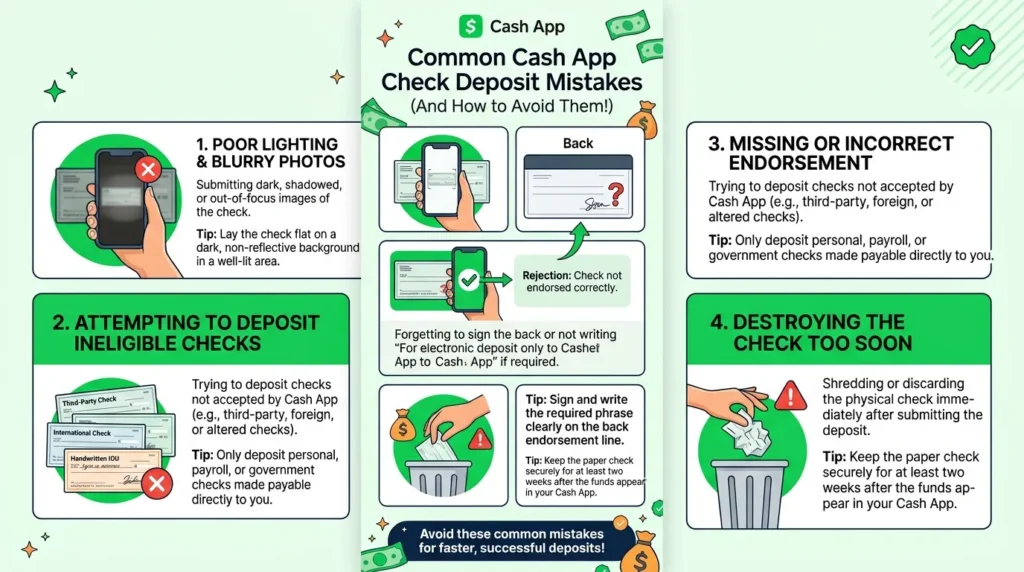
A rejected deposit can be frustrating. However, many problems come from a few common mistakes.
1. The Deposit Check Option Is Missing
Still, the feature isn’t available to every user. Updating the app may help, but it won’t guarantee access.
Avoid unofficial apps and paid activation offers. They may be scams.
2. The Check Photo Is Blurry
Cash App needs to read the check’s printed details. A blurry image can hide the amount, date, signature, or banking numbers.
Retake the photo in better light. Also, flatten folded corners before scanning.
3. The Endorsement Is Wrong
Your signature should match the payee name. Also, include “Cash App Deposit” when required.
Don’t sign until you’re ready to submit. Another service may refuse a specially endorsed check.
4. The Check Is Too Old or Postdated
Cash App terms say a check can’t be postdated. It also can’t be more than 180 days old.
Therefore, check the date before taking photos. Ask the issuer for a replacement when needed.
5. The Check Was Already Deposited
Never submit the same check twice. Duplicate deposits can cause reversals, account restrictions, or a negative balance.
Keep the original check after submission. Also, write down the deposit date for your records.
6. The Check Gets Returned
A check can be returned after funds appear. The writer may lack funds, or the check may involve fraud.
Cash App may remove the money. As a result, your balance could become negative.
Cash App Check Deposit vs. Other Deposit Options
Cash App check deposit works well in some cases. However, another method may fit better.
| Method | Best For | Main Consideration |
| Cash App mobile check deposit | Eligible users with a paper check | Review and hold time may apply |
| Cash App direct deposit | Regular paychecks or benefits | Requires account and routing details |
| Bank mobile deposit | People with a bank account | Bank limits and holds vary |
| Issuing bank | Checks needing faster verification | Branch access may be required |
| Retail check cashing | People who need cash quickly | Fees may apply |
| Paper money deposit | Adding physical cash to Cash App | This is not a check deposit |
Direct deposit may suit future paychecks. Your employer can send pay using your Cash App routing and account numbers.
However, direct deposit and mobile check capture are different services. Likewise, a paper money deposit adds cash at a participating retailer. It doesn’t process a paper check.
Cash App Check Deposit FAQ
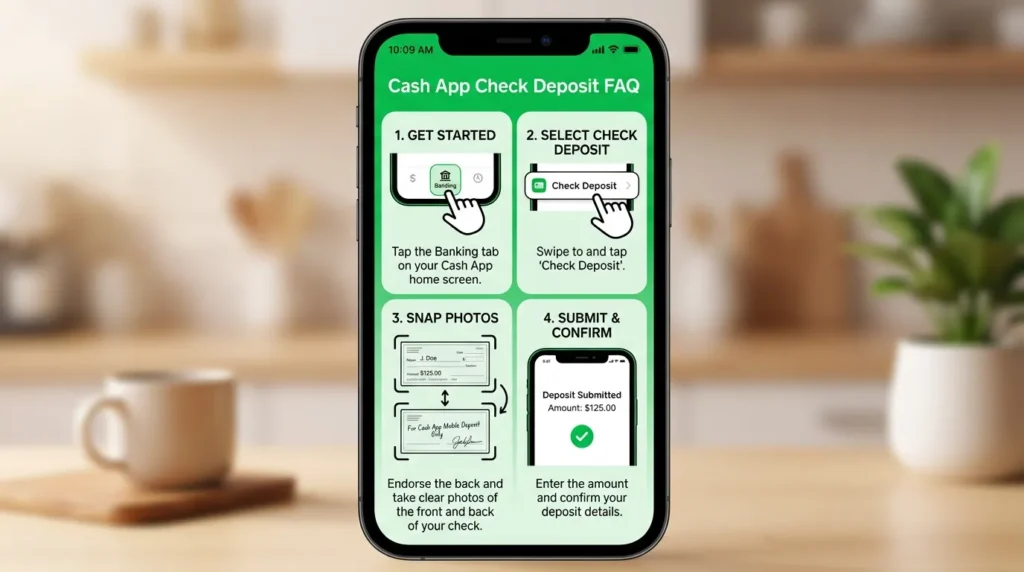
Can I Deposit a Check on Cash App?
Yes, some eligible users can. Open the Money tab and look for “Deposit Check.” If the option appears, follow the prompts.
However, access doesn’t guarantee acceptance. Cash App reviews every submitted check.
Why Don’t I See Mobile Check Deposit?
Your account may not qualify for Cash App check deposit right now. Sponsored accounts aren’t eligible. Other account or risk factors may also affect access.
Update the app and check again. If the option remains missing, choose another deposit method.
What Checks Can I Deposit?
Eligible checks may include certain payroll, personal, cashier’s, and government checks. The check must meet Cash App’s current rules.
It should generally be payable to you, drawn on a U.S. institution, and payable in U.S. dollars. It also must be properly dated and endorsed.
Is Cash App Check Deposit Free?
Cash App describes mobile check deposit as a free feature for eligible customers. However, another provider may charge you if you choose a different check-cashing service.
Don’t confuse this feature with paper money deposits at retailers. That separate service may carry a fee.
How Fast Will My Money Arrive?
After acceptance, funds may take 1 to 15 business days. Cash App may provide a date or estimate inside the app.
Therefore, plan ahead for rent, bills, or other deadlines. Keep a backup option for urgent checks.
What Should I Do With the Paper Check?
Keep the original check in a secure place for two weeks after acceptance. Cash App may need you to use it again if the deposit gets reversed.
After that period, destroy it or mark it clearly as void. Follow any special message from Cash App first.
Ready to Use Cash App Check Deposit?
Cash App check deposit can save you a trip when the feature appears on your account. Still, success depends on the check, your endorsement, clear photos, and Cash App’s review.
First, confirm that “Deposit Check” appears in the Money tab. Then read every in-app instruction before signing. Finally, store the original check for two weeks after acceptance.
Most importantly, don’t expect instant access. Accepted deposits may take up to 15 business days. Therefore, keep a backup plan for urgent payments.
Check each detail twice and submit only an original eligible check. That simple routine can prevent delays.