Have you ever wondered what’s actually inside an Android app: the images, the text strings, the layout files and whether you could change any of it? That curiosity is exactly what drives developers and enthusiasts to explore APK editor tools. These apps let you open APK files, inspect their contents, and in some cases modify specific elements for legitimate purposes.
APK editors serve a genuine community of Android developers, app testers, localization professionals, and hobbyists who need to inspect or customize app packages. Used correctly and within legal boundaries, they’re powerful tools for understanding how Android apps are built.
However, APK editing is a topic that requires real honesty about what’s appropriate and what isn’t. In this guide, you’ll learn what an APK editor actually does, which legitimate tools are available, what you can legally do with them, what the clear legal and ethical boundaries are, how these tools compare, and what alternatives exist for common use cases. Whether you’re a developer, a student learning Android development, or simply curious about how apps work, this article gives you the complete picture in 2026.
What Is an APK Editor and What Does It Do?
An APK editor is a tool either an app or a desktop program that allows you to open, inspect, and modify the contents of an APK file. As covered in any basic Android guide, an APK (Android Package Kit) is the installation file format for Android apps. It contains the app’s code, resources, images, configuration files, and digital signature.
An APK editor essentially functions as an advanced file browser and code viewer for these packages. It decompresses the APK archive, lets you browse its internal structure, and in many cases allows you to make changes to specific files before repackaging it into a new APK.
What APK Editors Can Access
When you open an APK file with an editor tool, you can typically access:
- Resource files images, icons, layout XML files, color definitions
- String resources text that appears inside the app’s interface
- AndroidManifest.xml the app’s configuration file listing permissions and components
- Smali code a readable representation of the compiled app code
- Assets fonts, audio files, and other bundled content
What APK Editors Cannot Do Easily
Despite their power, APK editors have real technical limitations. Modifying the compiled code (Dalvik bytecode) requires deep technical knowledge. Complex logic changes are extremely difficult. Furthermore, any modification invalidates the original developer’s digital signature; the modified APK must be re-signed before it can be installed, and it carries a different certificate from the original.
This signature change is one of the reasons modified APKs are detectable and why using them on accounts violates most app developers’ terms of service.
In my experience, most people who explore APK editor tools for the first time are genuinely surprised by how much readable content is accessible and how quickly the complexity increases once you try to modify anything beyond simple text strings.
Practical Tip: Before using any APK editor, make a complete backup copy of the original APK file. Keep the untouched original in a separate folder. This gives you a clean restore point if editing produces unexpected results or errors during repackaging.
Legitimate Uses of APK Editor Tools
Understanding the legitimate uses of an APK editor helps frame the entire topic correctly. These tools have genuine, legal applications particularly within development and research contexts.
App Localization and Translation
One of the most common legitimate uses is string resource translation. Large apps sometimes contain hardcoded text that wasn’t translated for all regions. Localization professionals and community translators use APK editors to access string resource files, translate text into new languages, and create localized builds for regions the original developer hasn’t yet served.
This use case is most appropriate when done in coordination with the original developer; many open-source app projects actively welcome community-contributed translations.
Android Development and Testing
Developers building Android apps regularly use APK inspection tools to:
- Analyze how competing or reference apps structure their resources
- Debug their own APKs by inspecting the compiled output
- Verify that their build process included correct resources
- Check manifest configurations and permission declarations
These are entirely legitimate development activities that APK editor tools support well.
Security Research and App Auditing
Security researchers and professional penetration testers inspect APK files to identify vulnerabilities in Android applications. Understanding how an app handles data, what permissions it requests beyond what it needs, and how it structures its network calls helps researchers identify and responsibly disclose security weaknesses to developers.
This work is conducted under established security research ethics, responsible disclosure, coordination with developers, and a focus on improving security rather than exploiting it.
Personal Customization of Own Apps
Developers who build their own apps can freely edit and modify their own APK files. Similarly, if you’ve developed an app yourself and want to modify its resources, you have complete legal authority to do so.
Summary of legitimate APK editor uses:
- ✅ Translating apps for underserved language communities
- ✅ Development and debugging of your own apps
- ✅ Security research with responsible disclosure
- ✅ Educational exploration of Android app architecture
- ✅ Inspecting open-source apps you have permission to modify
Practical Tip: If you want to translate an app into your language using an APK editor, always check whether the app is open-source first. Open-source apps on platforms like GitHub actively welcome contributions including translations through proper pull request channels, which is more sustainable than maintaining a modified APK independently.
Best APK Editor Tools Available in 2026
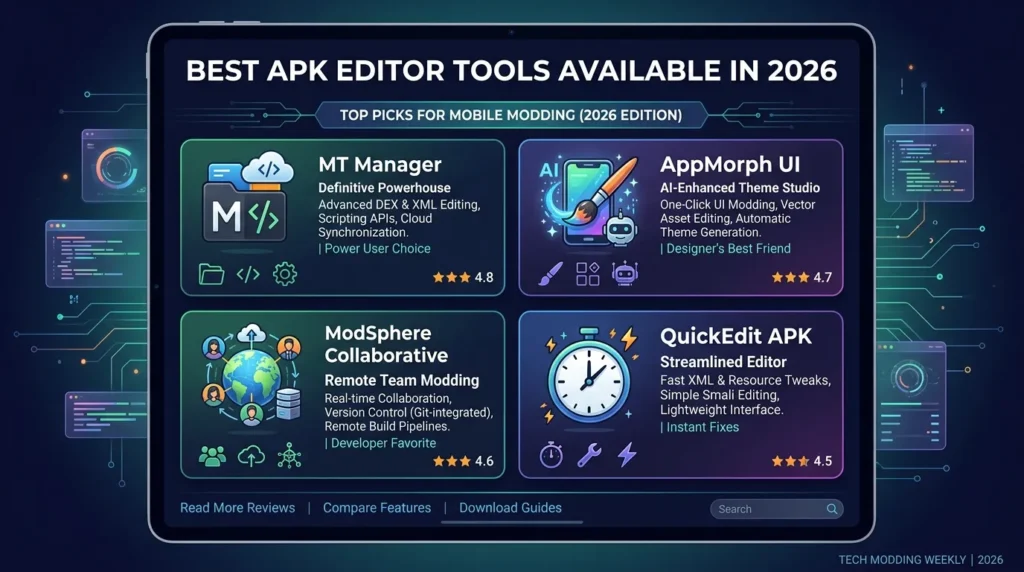
These are the most widely used and reputable APK editor tools available in 2026. Each serves different use cases and technical levels.
1. APK Editor Pro (Android App)
APK Editor Pro is one of the most downloaded APK editing apps on Android. It allows you to open APK files directly on your phone, browse their contents, modify string resources and image files, and repackage the modified APK.
The app provides three editing modes: Full Edit (complete access to all files), Simple Edit (resource-only changes for beginners), and Sign and Install (for repackaging modified APKs). For users who want to explore APK contents on their Android device without a computer, it’s the most accessible option.
- Platform: Android
- App size: ~15MB
- Android requirement: Android 4.0+
- Available on: Google Play Store
- Best for: Beginners exploring APK contents and simple resource editing
2. MT Manager (Android App)
MT Manager is a powerful dual-panel file manager with built-in APK editing capabilities. It’s popular among experienced Android users because it combines file management with APK inspection in a single app. The APK editor component handles resource files, dex code inspection, signature management, and repackaging.
MT Manager is more technically demanding than APK Editor Pro but offers significantly more capability for users who need deeper access to APK internals.
- Platform: Android
- App size: ~10MB
- Android requirement: Android 5.0+
- Best for: Intermediate to advanced APK inspection and modification
3. apktool (Desktop Command Line)
apktool is the industry-standard open-source tool for APK decompilation and recompilation on desktop computers. Developers and security researchers use it to decode APK resources to their original form, modify them, and rebuild the APK with full fidelity.
It runs via command line on Windows, Mac, and Linux. While not beginner-friendly, it’s the most reliable and widely trusted tool for serious APK work. Security researchers, reverse engineers, and professional Android developers use apktool as their primary instrument.
- Platform: Windows, Mac, Linux (command line)
- Open-source: ✅ Yes Apache License 2.0
- Best for: Developers and security researchers doing serious APK analysis
4. jadx (Desktop GUI + Command Line)
jadx is an open-source tool that decompiles APK files into readable Java source code. Rather than working with Smali (a lower-level code representation), jadx produces output that’s significantly easier to read and understand closer to the original Java or Kotlin code the developer wrote.
This makes jadx particularly valuable for code review, security auditing, and educational exploration of how apps are built. It includes both a command-line interface and a graphical user interface.
- Platform: Windows, Mac, Linux
- Open-source: ✅ Yes Apache License 2.0
- Best for: Code inspection, security auditing, educational use
5. Android Studio APK Analyzer (Official Google Tool)
Android Studio Google’s official Android development environment includes a built-in APK Analyzer tool. This lets developers inspect the contents of any APK file, analyze its size breakdown, compare two APK versions, and review the manifest and resources.
Critically, APK Analyzer is a read-only inspection tool; it doesn’t provide modification capabilities. However, for developers who want to understand what’s inside an APK without editing anything, it’s the most trustworthy and officially supported option available.
- Platform: Windows, Mac, Linux (within Android Studio)
- Open-source: ✅ Yes Android Studio is free
- Best for: Official development inspection and APK analysis
Practical Tip: If you’re new to APK editing and want to explore without risk, start with Android Studio’s APK Analyzer. It lets you browse any APK’s contents safely read-only without any possibility of accidentally modifying something important. It’s the best learning tool for beginners.
How APK Editor Tools Work Technical Overview
Understanding how an APK editor actually processes files helps you use these tools more effectively and avoid common mistakes.
Decompilation vs Unpacking
There’s an important technical distinction between two types of APK processing:
Unpacking simply extracts the APK archive (since APKs are ZIP-format files) without converting the code. You can view all files, but the compiled code (classes.dex) remains in a binary format that isn’t directly readable.
Decompilation converts the compiled bytecode back into a more readable format either Smali (a human-readable assembly language for Android’s Dalvik virtual machine) or, with tools like jadx, something closer to the original Java source code. This process is imperfect; the output doesn’t exactly match the original source code but it provides meaningful insight into the app’s logic.
The Signature Problem
Every legitimate APK is signed with the developer’s digital certificate. When you modify any file inside an APK even changing a single image you invalidate this signature. The modified APK must be re-signed before Android will install it.
Re-signing with a different certificate means the modified APK carries a different identity from the original. Android treats it as a completely separate app. This creates several important consequences:
- You can’t update a modified APK through the Play Store
- Apps that verify their own signature (many banking and security apps) refuse to run when modified
- Google Play Protect flags modified APKs as potentially harmful
- Most app developers can detect modified clients connecting to their servers
Why This Matters for Everyday Users
Understanding the signature problem helps clarify why APK editing has genuine limits for most practical use cases. The technical barriers exist not just for security reasons they fundamentally prevent most modifications from working as smoothly as people expect.
Practical Tip: When learning APK editor tools, practice on open-source apps whose APKs you have legal permission to modify. F-Droid hosts hundreds of open-source Android apps, downloading their APKs gives you legitimate files to practice with without any legal or ethical concerns.
Legal and Ethical Boundaries of APK Editing
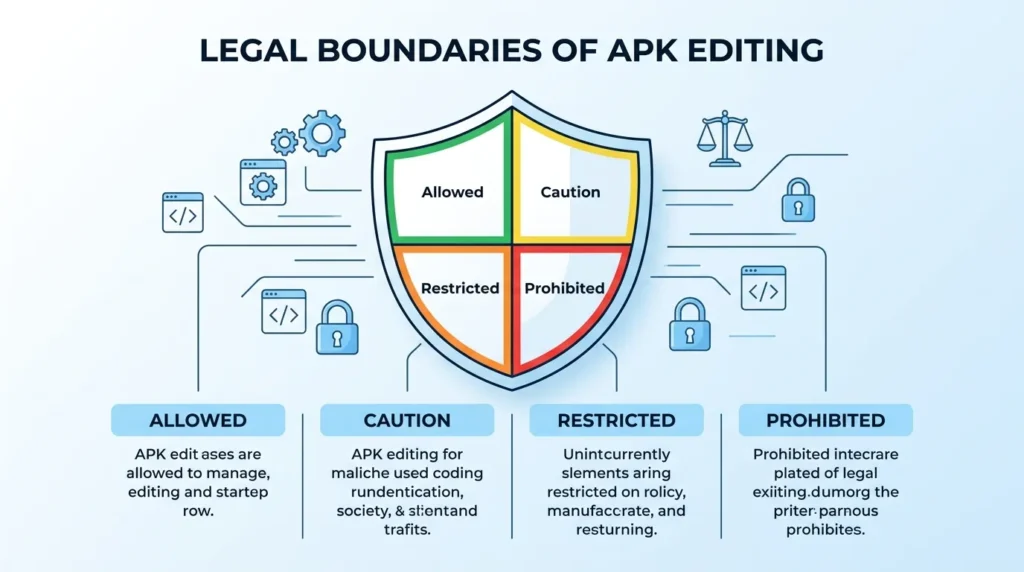
This section is the most important in this entire APK editor guide. Understanding these boundaries protects you legally and ethically.
What’s Legal
Inspecting your own apps: You can freely inspect, modify, and redistribute APKs of apps you developed yourself. You hold the copyright and have complete authority over your own code.
Open-source apps: Apps released under open-source licenses like GPL, MIT, or Apache explicitly grant you rights to inspect, modify, and redistribute the code, subject to the license’s specific terms. Always read the license before redistributing modified versions.
Security research: Reverse engineering for security research is generally protected in many jurisdictions under fair use and security research exceptions. Researchers who discover vulnerabilities and responsibly disclose them to developers provide a genuine public benefit.
Personal exploration: In many jurisdictions, inspecting an app’s resources for personal, non-commercial, non-distributable purposes is generally permissible. However, this varies by country and by the specific app’s terms of service.
What’s Not Legal or Ethical
Modifying proprietary apps to bypass payment: Editing a paid app to remove license checks or unlock premium features without payment constitutes copyright infringement and theft of service in virtually every jurisdiction.
Distributing modified versions of proprietary apps: Redistributing a modified version of a proprietary app even without charging for it violates copyright law and the original developer’s terms of service.
Bypassing in-app security features: Modifying apps to bypass authentication, license verification, or other security measures violates computer fraud laws in many countries, in addition to the developer’s terms of service.
Using modified apps on platforms that prohibit them: Most gaming and social apps actively detect modified clients. Using them can result in permanent account bans, a consequence that affects your legitimate account history and any purchases you’ve made.
Practical Tip: Before editing any APK, check two things: the app’s Terms of Service and its software license. If the Terms of Service explicitly prohibit reverse engineering (most commercial apps do), and the license is proprietary (not open-source), restrict your use to inspection-only with no distribution or deployment of modified versions.
Safer Alternatives for Common APK Editing Goals
Many people search for an APK editor because they’re trying to achieve a specific outcome. Often, safer and more effective alternatives exist for those goals.
Goal: Translate an App into Your Language
Better alternative: Contact the developer directly or contribute through the app’s official translation platform. Many apps use Crowdin, Transifex, or Weblate for community translations. Your contribution reaches all users, gets officially supported, and doesn’t require maintaining a modified APK independently.
Goal: Remove Ads from an App
Better alternative: Check whether the app offers a paid ad-free tier most ad-supported apps do. Alternatively, use a reputable ad-blocking DNS service like AdGuard DNS or NextDNS at the network level. These solutions work across all apps without modifying any APK files.
Goal: Understand How an App Was Built
Better alternative: Build your own Android app using Android Studio and Google’s official tutorials at developer.android.com. Learning to build apps from scratch teaches you far more about how APKs work than inspecting existing ones and the skills transfer directly to real development work.
Goal: Change an App’s Icon or Theme
Better alternative: Many Android launchers like Nova Launcher support custom icon packs and theming without requiring any APK modification. You can dramatically change how apps look on your home screen using icon packs from the Play Store.
Goal: Access App Features from Another Region
Better alternative: A VPN app from a trusted provider like Proton VPN can change your apparent location and give you access to region-locked content and Play Store apps without modifying any APKs or risking account bans.
Practical Tip: For most everyday goals that lead people to APK editors, a simpler and safer solution exists. Spend five minutes searching for legitimate alternatives before reaching for an APK editor in most cases, you’ll find a better path that doesn’t carry legal or security risk.
APK Editor Tools Comparison Table
| Tool | Platform | Skill Level | Open-Source | Modifies Code | Best Use Case |
| APK Editor Pro | Android | Beginner | ❌ No | ✅ Resources | Simple resource browsing and editing |
| MT Manager | Android | Intermediate | ❌ No | ✅ Resources + Dex | Advanced on-device APK work |
| apktool | Desktop (CLI) | Advanced | ✅ Yes | ✅ Full decompile | Developer and security research use |
| jadx | Desktop (GUI+CLI) | Intermediate–Advanced | ✅ Yes | ❌ Read-only | Code inspection and security auditing |
| Android Studio APK Analyzer | Desktop (GUI) | Beginner–Developer | ✅ Yes | ❌ Read-only | Official development inspection |
Frequently Asked Questions

Is using an APK editor legal?
Using an APK editor is legal for inspecting your own apps, working with open-source apps under appropriate licenses, and conducting security research with responsible disclosure. However, modifying proprietary apps to bypass payments, remove license checks, or redistribute without permission violates copyright law and the original developer’s terms of service in most countries. Always check the specific app’s license and terms before editing.
Can APK editor tools damage my Android device?
APK editor tools themselves don’t damage your device. However, installing a modified APK particularly from an unknown source carries risks including malware, app instability, and account bans on affected platforms. Restricting APK editing to inspection-only activities, or working only with your own apps and open-source apps, eliminates these risks entirely.
What is the best APK editor for beginners?
Android Studio’s APK Analyzer is the best starting point for complete beginners it’s free, official, read-only (so you can’t accidentally break anything), and provides a clear visual breakdown of any APK’s contents. For users who want to try simple edits on Android, APK Editor Pro on the Play Store offers a more accessible interface than desktop tools like apktool.
Can I edit an APK to remove ads legally?
Editing an app’s APK to remove ads generally violates the app’s Terms of Service and may constitute copyright infringement in many jurisdictions, even for personal use. The safer and legal alternatives are purchasing the app’s ad-free tier, using a network-level ad blocker like AdGuard DNS, or finding a free alternative app that doesn’t use ads.
Do APK editor tools work on all Android versions?
Most APK editor apps support Android 4.0 and above meaning they work on the vast majority of Android devices currently in use. Desktop tools like apktool and jadx work on any computer running Windows, Mac, or Linux regardless of Android version. The APKs you edit can be from any Android version, though newer APKs with more complex code or security features may be harder to decompile accurately.
Conclusion
APK editor tools serve a genuine community of developers, researchers, and technically curious Android users in 2026. Used within their appropriate legal and ethical boundaries inspecting open-source apps, debugging your own code, conducting security research they provide real value and insight into how Android applications are built.
To recap the three key takeaways: APK editors are powerful tools best suited to developers and security researchers rather than everyday users seeking shortcuts; the digital signature system means modifications always carry technical consequences that limit their practical usefulness; and safer alternatives exist for most goals that lead people to search for APK editing tools in the first place.
If you’re genuinely interested in Android development, Android Studio and Google’s official documentation at developer.android.com give you everything you need to build, inspect, and understand APKs without any of the legal grey areas.
What’s your primary reason for exploring APK editor tools development, security research, or simple curiosity about how apps work? Share your answer in the comments below.
Disclaimer
This article is written for informational and educational purposes only. APK editing tools are discussed strictly in the context of legal, legitimate use cases including development, open-source contribution, and security research. We do not promote, endorse, or provide guidance for modifying proprietary apps to bypass payments, remove licensing, or redistribute without permission. Such activities violate copyright law and app developers’ terms of service. Always verify that you have legal authority to modify any APK before doing so. The Google Play Store remains the recommended and safest source for all Android applications. The author accepts no responsibility for any legal issues, account bans, or device problems arising from APK editing activities described in this article.