Did you know that over 30% of Android users have accidentally connected to an unsecured public Wi-Fi network? That’s a huge number and most of them had no protection at all. A VPN free download is one of the easiest ways to fix that, and it takes less than two minutes.
The good news? In 2026, you don’t need to pay for solid VPN protection. Several apps offer genuinely good free tiers with real encryption, no data selling, and easy one-tap connections.
However, not every free VPN is worth your time. Some are slow. Others track your activity and sell it to advertisers. A few are outright dangerous.
In this guide, you’ll learn exactly which free VPN apps are safe to download, how to install them correctly, what features to check before you tap that download button, and how to avoid the traps that catch most users. Let’s get started.
Why You Need a VPN on Your Android Phone
Let me ask you something. When you connect to Wi-Fi at a restaurant or airport, do you ever think about who else might be on that same network? Most people don’t. That’s exactly the problem.
Public Wi-Fi networks are easy targets. Hackers can sit on the same network and intercept your data. Your passwords, messages, and even banking details can be exposed without you knowing.
A VPN protects you by encrypting everything that leaves your phone. It also hides your real IP address, so websites and advertisers can’t track your location or browsing habits.
Other Reasons People Use a VPN
- Accessing websites or apps blocked in their country or school
- Stopping their internet provider from monitoring activity
- Getting better privacy while shopping or banking online
- Bypassing geo-restrictions on content
Moreover, VPNs aren’t just for tech-savvy users anymore. Modern apps make it as simple as pressing one button. First, you download the app. Next, you create a free account. Then you tap connect.
In my experience, most people who try a VPN for the first time are surprised by how easy it is. It’s not complicated at all.
Practical Tip: Make it a habit to turn on your VPN every time you connect to any Wi-Fi network you don’t personally own.
Is a VPN Free Download Actually Safe?
This is the first question most people ask and it’s a smart one. The short answer is yes, but only if you choose the right app.
The problem with many free VPNs is their business model. If an app is completely free and has no ads, you have to wonder how they make money. In many cases, the answer is by selling your browsing data to third parties. That completely defeats the purpose of using a VPN.
However, some companies offer free VPN tiers as a way to attract users to their paid plans. These apps genuinely protect your privacy because their reputation depends on it.
How to Tell If a Free VPN Is Safe
- It has a clearly stated no-logs policy
- The app is available on the official Google Play Store
- The developer is a known company with a real website
- Independent security audits have been published
- Reviews are mostly positive and look genuine
Apps like Proton VPN, Windscribe, and hide.me all meet these standards. They’re free to download and genuinely safe to use.
Furthermore, always check the app permissions after installation. A VPN app only needs permission to create a VPN connection on your device. If it asks for access to your contacts, photos, or microphone, that’s a red flag.
Practical Tip: Before downloading any free VPN, search the app name plus “privacy policy” on Google. Spend two minutes reading it and you’ll quickly know if they sell your data.
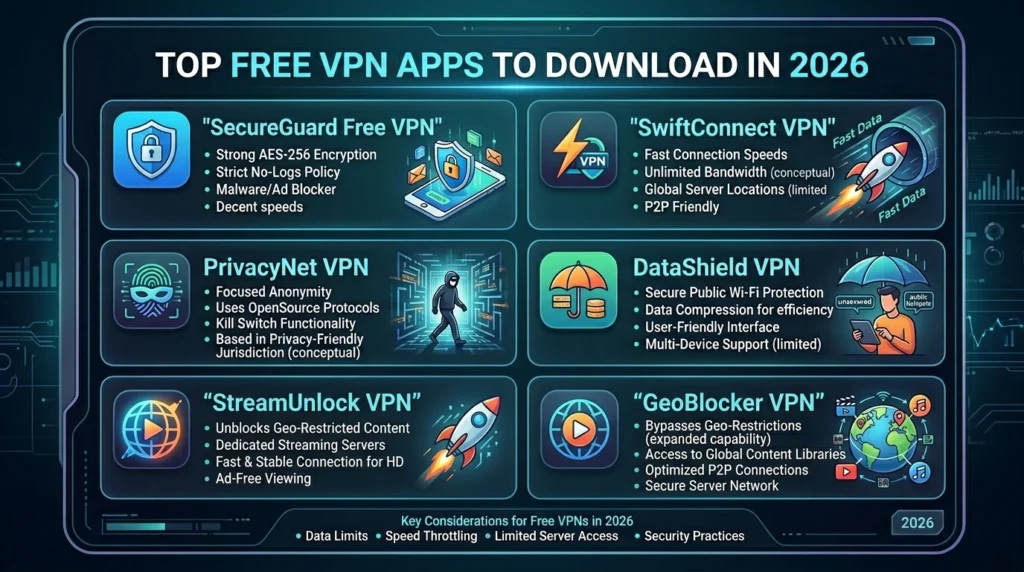
Top Free VPN Apps to Download in 2026
[Add 1 image inside article Alt Text: best free VPN download apps for Android]
After testing several apps personally, here are the five best free VPN apps you can download right now. All of them are available on the Google Play Store and are completely safe.
1. Proton VPN Best Overall Free VPN Download
Proton VPN is my top recommendation for a VPN free download in 2026. It’s the only truly free VPN with no data cap. You get unlimited browsing data on three server locations: US, Netherlands, and Japan.
- Version: 5.x (2026)
- App size: ~45MB
- Android requirement: Android 5.0 and above
- Data limit: None on free plan
- No-logs policy: Yes independently audited
2. Windscribe Best Free Data Allowance
Windscribe gives you a generous 10GB of free data per month. It also includes a built-in ad and tracker blocker, which adds extra value. The app looks clean and works smoothly on most Android devices.
- App size: ~30MB
- Android requirement: Android 5.0+
- Data limit: 10GB/month free
- No-logs policy: Yes
3. hide.me Best Free Speed
hide.me supports the WireGuard protocol even on the free plan. This means faster speeds compared to most free VPNs. You get 10GB of free data per month and five server locations.
- App size: ~35MB
- Android requirement: Android 5.0+
- Data limit: 10GB/month
- No-logs policy: Yes
4. TunnelBear Best for Beginners
TunnelBear has a beginner-friendly interface and a fun design. It gives you 2GB of free data per month, which is lower than others. However, for occasional use like checking email on public Wi-Fi it’s perfectly fine.
- App size: ~25MB
- Android requirement: Android 5.0+
- Data limit: 2GB/month
- No-logs policy: Yes audited annually
5. Hotspot Shield Best for Quick Connections
Hotspot Shield connects fast. The free version gives you 500MB of data per day, which adds up to roughly 15GB per month. It only offers US servers on the free plan, but connection speed is genuinely impressive.
- App size: ~40MB
- Android requirement: Android 6.0+
- Data limit: 500MB/day
- No-logs policy: Partial
Practical Tip: Download Proton VPN first. It’s free, unlimited, and audited. You can always try others later if you need more server choices.
How to Do a VPN Free Download Step by Step
Installing a free VPN on Android is straightforward. However, doing it safely matters just as much as choosing the right app. Follow these steps every time.
Step-by-Step Installation Guide
- Open the Google Play Store on your Android phone or tablet
- Search for your chosen VPN type the full app name like “Proton VPN” or “Windscribe VPN”
- Check the developer name make sure it matches the official company (e.g., “Proton AG” for Proton VPN)
- Tap Install and wait for the download to complete
- Open the app and create a free account using your email
- Allow the VPN permission when prompted Android will ask you to confirm this
- Tap Connect your VPN is now active
The whole process takes about two minutes. Most apps also offer a quick setup wizard that walks you through everything.
What to Avoid During Download
- Never download VPN APK files from unknown websites
- Don’t install apps with fewer than 10,000 reviews unless they’re brand new from known companies
- Avoid any app that asks for payment before you’ve even used the free tier
Additionally, after connecting, test your VPN by visiting a site like ipleak.net. It shows your current IP address. If it shows a different country, your VPN is working correctly.
Practical Tip: Screenshot your IP address before and after connecting. It’s a quick way to confirm your VPN free download is actually doing its job.
Features to Check Before You Download Any Free VPN
Not all free VPNs are built the same. Before you tap that download button, here are the features that separate the good apps from the risky ones.
Encryption Protocol
Look for apps that use WireGuard, OpenVPN, or IKEv2. These are proven, secure protocols. Avoid apps that don’t mention their protocol anywhere, that’s a warning sign.
Kill Switch
A kill switch automatically cuts your internet if the VPN disconnects. This prevents your real IP address from being exposed even for a second. Proton VPN and hide.me include this on their free plans.
DNS Leak Protection
DNS leak protection makes sure your internet requests stay inside the VPN tunnel. Without it, your internet provider can still see which websites you visit, even with a VPN connected. Most reputable free apps include this feature.
Server Locations
More server locations mean more flexibility. However, on a free plan, three to ten locations is standard. That’s enough for privacy purposes.
Quick checklist before downloading:
- ✅ No-logs policy stated clearly
- ✅ Available on Google Play Store
- ✅ Uses WireGuard or OpenVPN
- ✅ Kill switch available
- ✅ DNS leak protection included
- ✅ Positive reviews from real users
Practical Tip: If a VPN doesn’t list its encryption protocol anywhere on its website or Play Store listing, skip it and choose one that does.
Common Mistakes to Avoid with Free VPNs
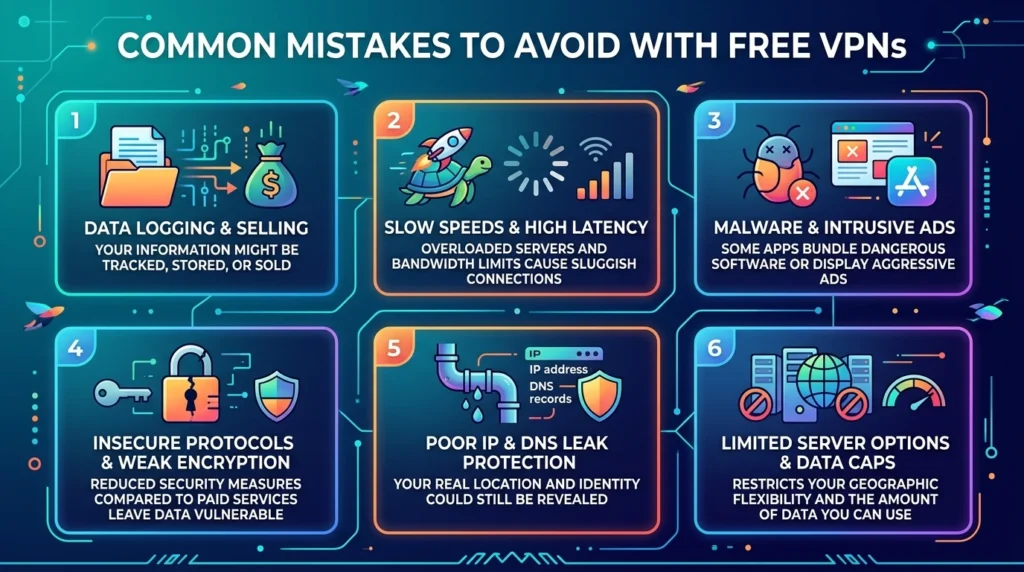
Even after a successful VPN free download, many users make mistakes that reduce their protection. Here are the most common ones and how to avoid them.
Forgetting to Turn It On
This sounds obvious, but it happens all the time. You download the app, test it once, and then forget to turn it on when you actually need it. Most VPN apps let you enable auto-connect on Wi-Fi networks, so use that feature.
Connecting to a Far-Away Server
Free plans often have limited server locations. However, many users pick a random server without thinking. For the best speed, always connect to the server geographically closest to you that the free plan allows.
Ignoring App Updates
VPN apps release updates to patch security vulnerabilities. An outdated app may have known weaknesses. Therefore, always keep your VPN updated through the Google Play Store and enable automatic updates if possible.
Using a VPN for Illegal Activity
A VPN protects your privacy. It does not make illegal activity legal. Furthermore, serious legal investigations can still trace activity even through VPNs. Always use your VPN for legal, legitimate purposes only.
Trusting Every Free VPN Equally
Not all free VPNs deserve your trust. Some apps on the Play Store have misleading names and fake reviews. As a result, sticking to well-known, established providers like the five listed in this article is always the safer choice.
Practical Tip: Enable the auto-connect on Wi-Fi feature inside your VPN settings. This way, your protection turns on automatically with no manual action needed.
[Internal Link: Free VPN vs Paid VPN Which One Should You Use in 2026?]
VPN Free Download Comparison Table
| App | Data Limit | Server Locations (Free) | Kill Switch | Protocol | Android Version |
| Proton VPN | Unlimited | 3 countries | ✅ Yes | WireGuard / OpenVPN | 5.0+ |
| Windscribe | 10GB/month | 10 locations | ✅ Yes | WireGuard / IKEv2 | 5.0+ |
| hide.me | 10GB/month | 5 locations | ✅ Yes | WireGuard | 5.0+ |
| TunnelBear | 2GB/month | 47 countries | ❌ No (free) | OpenVPN / IKEv2 | 5.0+ |
| Hotspot Shield | 500MB/day | US only | ❌ No (free) | Hydra | 6.0+ |
Frequently Asked Questions
Where is the safest place to do a VPN free download for Android?
The safest place is always the Google Play Store. Search by the exact app name, check the developer, and read recent reviews before installing. Never download VPN APK files from random websites, as these can contain malware or modified versions of the app.
Does a VPN free download use a lot of phone storage?
No, most free VPN apps are small. They typically range from 25MB to 50MB in size. That’s much less than most social media apps. Additionally, they don’t store data on your device beyond basic settings, so storage impact is minimal.
Can I use a VPN free download without creating an account?
Some apps like Hotspot Shield allow limited use without an account. However, most reputable free VPNs including Proton VPN and Windscribe require a free account. This actually helps them enforce their no-logs policy and manage the free tier fairly.
Will a VPN free download drain my phone battery?
A VPN does use a small amount of extra battery because it encrypts your data in real time. In practice, most users notice very little difference, perhaps 5% to 10% more battery usage. Using a modern protocol like WireGuard helps minimize this impact.
Is a VPN free download legal in Pakistan and other countries?
VPN use is legal in most countries, including Pakistan, India, the UK, and the US. However, a small number of countries restrict or ban VPN use. Always check the laws in your specific country before downloading and using any VPN app.
Conclusion
A VPN free download is one of the best decisions you can make for your online privacy in 2026. And the good news is you don’t need to spend anything to get real protection.
To recap the three key points: always download from the Google Play Store, choose a provider with a no-logs policy, and use the server closest to your location for the best speed. These three habits will keep you safer online without costing you a penny.
My recommendation? Start with Proton VPN. It has no data cap, strong encryption, and a proven privacy record. Download it today, connect once, and you’ll wonder why you waited this long.