Running a business from your personal number can get messy fast. One minute, you’re texting a client. Then, you’re hunting for an old voicemail while another call arrives.
Many people search for the open phone app when they mean OpenPhone. The business phone platform changed its name to Quo in September 2025. However, many users still know it by the older name. The service brings calls, texts, contacts, and team notes into one shared workspace.
Is it right for your business? Also, how do you set it up without confusing your team?
Whether you work alone or lead a small team, clear communication can protect your time and reputation.
This guide explains the main features in plain English. You’ll learn how the app works, who needs it, and how to set it up. You’ll also see common mistakes, practical examples, and answers to popular questions.
By the end, you’ll know whether the open phone app fits your daily workflow.
What Is the Open Phone App?
The open phone app is a cloud-based business phone system. It lets you call and text through an internet connection. Therefore, you don’t need a second physical phone for work.
OpenPhone is now called Quo. Still, the core idea remains simple. You get a virtual phone number that works across phones, computers, and web browsers. The official service supports iOS, Android, macOS, Windows, and the web. keep work messages away from private conversations. Also, your team can share access to selected business numbers. That helps everyone see the same customer history.
Imagine a plumbing company with three office staff. One person answers a repair call and adds a note. Later, another teammate sees the context before replying. As a result, the customer doesn’t repeat the whole story.
How It Differs From a Normal Phone App
Your built-in phone app handles calls tied to your mobile carrier. In contrast, the open phone app adds business tools around each conversation.
It can help you:
- Use a separate business number.
- Call and text from several devices.
- Share numbers with trusted teammates.
- Keep notes beside customer conversations.
- Set business hours and call routing rules.
- Connect conversations with selected business tools.
The app uses Voice over Internet Protocol, also called VoIP. In simple terms, it sends calls through the internet. Therefore, call quality depends partly on your connection.
Why Use the Open Phone App for Business?
A business phone app should solve real problems. It shouldn’t add another tool that nobody enjoys using.
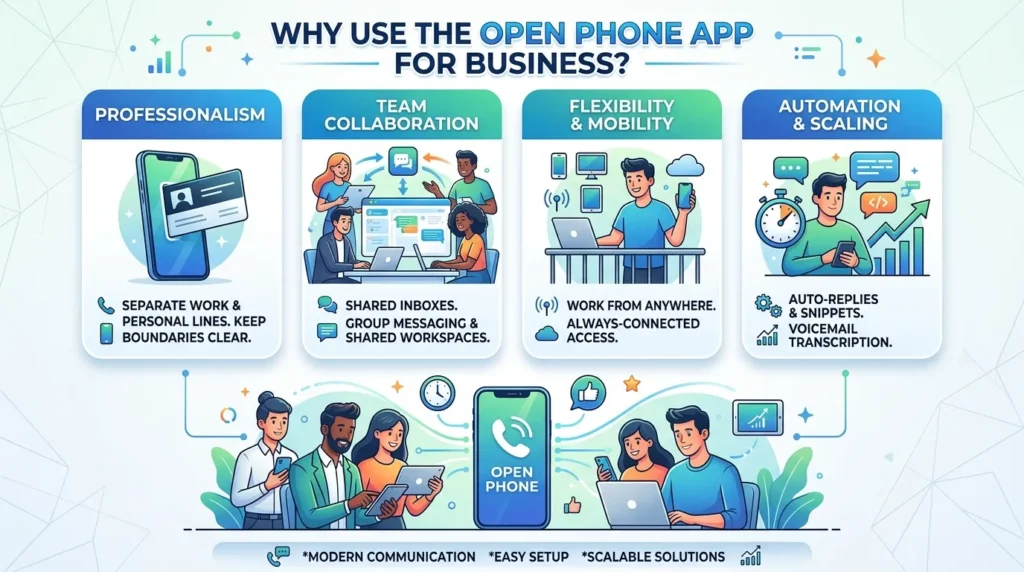
In my experience, the biggest benefit is separation. You can stop giving every customer your personal number. At the same time, you can still answer work calls from your current phone.
Here are nine practical benefits.
1. Keep Your Personal Number Private
A separate work number creates a healthy boundary. Therefore, clients don’t need your private contact details. You can also set business hours to reduce late-night interruptions.
2. Answer From Almost Anywhere
The open phone app works on mobile and desktop devices. As a result, you can begin a call at your desk and continue work elsewhere.
3. Share Customer Conversations
Shared numbers help small teams work together. Everyone with access can view relevant calls, texts, and notes.
However, set clear permissions. Not every teammate needs every conversation.
4. Reduce Missed Follow-Ups
Customer details often live in separate notebooks, inboxes, and phones. A shared inbox keeps more context together. Therefore, fewer details slip through the cracks.
5. Send Business Text Messages
Many customers prefer texting for simple updates. For example, you can confirm an appointment or share an arrival time.
However, ask for permission before sending promotions. You must also follow local messaging and privacy rules.
6. Read Voicemail Transcripts
Reading a transcript can be faster than replaying a message. It also helps when you’re in a meeting.
Still, transcripts can make mistakes. Therefore, replay the recording when names, numbers, or instructions matter.
7. Create a Professional Call Experience
A dedicated business number feels more established. You may also use greetings, menus, and routing features on suitable plans.
8. Keep Customer Context Together
The open phone app can place calls, texts, notes, and contact details in one workspace. Therefore, your team spends less time searching.
9. Support Remote Teamwork
A shared workspace helps remote staff answer customers without using personal numbers.
Pro Tip: Use one contact naming rule, such as “Name – Company – Service.” Your team will find records faster.
How to Set Up the Open Phone App Step by Step
A rushed setup creates confusion later. Therefore, plan your number, users, and call flow before inviting the whole team.
1. Define Your Main Goal
First, decide what problem you want to solve.
Do you need a private business number? Are missed calls hurting sales? Does your support team need a shared inbox?
Write down one main goal. Then, use it to guide every setup choice.
2. Choose or Transfer a Number
You can select a new number or move an existing business number. Number porting can take time because carriers verify ownership.
Therefore, don’t cancel your old service too early. Keep it active until the transfer finishes.
3. Add the Right Users
Next, invite only the people who need access. Then, choose which numbers each person can use.
For example, sales staff may need the sales line. However, they may not need billing conversations.
4. Install the Required Apps
Install the open phone app on the devices your team uses. user to test notifications. Also, check microphone permissions and audio settings.
5. Set Business Hours
Business hours tell the system when your team can answer. Outside those times, calls can follow another route.
For example, you might send callers to voicemail or an approved answering option.
6. Record a Clear Greeting
Keep your greeting short and friendly. State the business name, then explain the next step.
For example:
“Thanks for calling Green Street Repairs. Please leave your name, number, and a short message.”
7. Plan Call Routing
Decide who should receive each call. Then, test the order.
A small team might ring two people at once. A larger team may need departments, menus, or custom ring orders.
8. Connect Useful Tools
Only add integrations that support your real workflow. Too many connections can create noise.
For example, sales teams may need a CRM. However, freelancers may only need contacts and notes.
9. Test the Full Journey
Finally, test calls, texts, voicemail, and notifications.
Use a phone outside your business account. That gives you a customer’s view of the experience.
Open Phone App Examples and Comparisons
The right setup depends on how your business works. Therefore, don’t copy another company’s system without thinking.
| Business type | Useful setup | Main benefit |
| Freelancer | One business number on mobile and desktop | Separates personal and client calls |
| Local service team | Shared number with notes and business hours | Helps staff manage bookings |
| Online store | Support line with shared message history | Gives agents more context |
| Small sales team | Shared sales line with CRM integration | Makes follow-up easier to track |
Personal Number Versus Open Phone App
A personal number costs nothing extra if you already have a mobile plan. However, it offers weak boundaries.
You may also struggle when another person needs to answer. In contrast, the open phone app supports shared access and business workflows.
Before choosing, compare cost, support, reliability, and contract terms.
Common Open Phone App Mistakes to Avoid
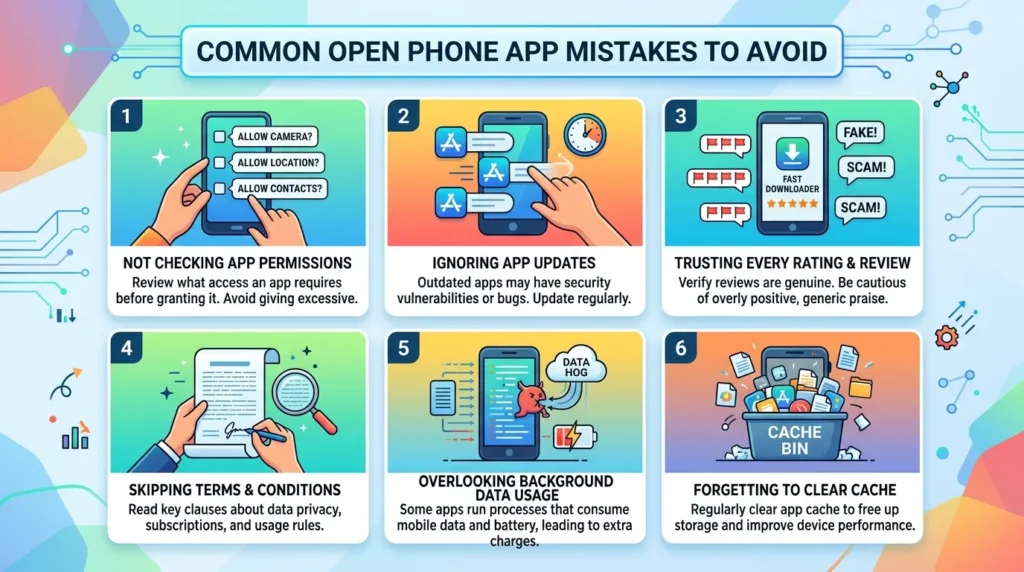
The open phone app can improve communication, but poor setup creates new problems. Fortunately, most mistakes are easy to prevent.
Using Weak Internet
VoIP calls need a stable connection. Therefore, test Wi-Fi and mobile data where your team works. Also, keep a backup connection for important calls.
Turning On Every Notification
Constant alerts can distract your team. Instead, choose notifications based on each role.
For example, managers may need missed-call alerts. Other staff may only need assigned messages.
Sharing Access Too Widely
Customer conversations may include private details. Therefore, give each person only the access they need.
Review permissions when roles change. Also, remove former employees quickly.
Ignoring Recording and Messaging Rules
Business calling, recording, and texting laws vary by location. Consent rules can differ too.
Therefore, check local requirements before recording calls or sending marketing texts. Get legal advice when your use case raises questions.
Forgetting the Customer Experience
A clever menu can still frustrate callers. Keep each option short, clear, and useful.
Have you called your own business number lately? Test it regularly. You may spot delays, confusing greetings, or broken routing.
Choosing a Plan by Price Alone
The cheapest plan may lack a feature you need. However, the highest plan may include tools you’ll never use.
Review current limits before buying. Quo currently lists Starter, Business, and Scale plans with monthly and annual billing choices. Phone App FAQ
Is the Open Phone App the Same as OpenPhone?
People often use an open phone app when searching for an OpenPhone. The company renamed OpenPhone to Quo in September 2025. The product continues as a business calling and messaging platform under its new name. I Use It on Android and iPhone?
Yes. Quo, formerly OpenPhone, offers Android and iOS apps. It also supports macOS, Windows, and web browsers. test notifications and microphone permissions on every device.
Do I Need a Second Phone?
No. You can use a business number through the app on your current device.
Therefore, you can separate work and personal communication without carrying two phones. Still, some people prefer a dedicated device for stronger boundaries.
Can Several People Share One Number?
Yes, shared numbers are a common team feature. Approved users can handle conversations from the same business line.
However, set roles carefully. Each person should only see information needed for their work.
Does the Open Phone App Work Without Wi-Fi?
It can work through mobile data. However, call quality may change with network strength. Test your connection before traveling.
Can I Keep My Current Number?
You may be able to port an eligible number into the service. The process requires account and ownership details.
Keep your old service active during the transfer. Then, follow the provider’s instructions closely.
Is the Open Phone App Right for Every Business?
No single phone system suits every company. The open phone app can fit freelancers, startups, and small teams that value simple shared communication.
However, large contact centers may need deeper reporting, global coverage, or workforce tools. Compare your needs before choosing.
Is the Open Phone App Worth Trying?
The open phone app can make business calls far more organized. It separates your work number, supports several devices, and helps teams share customer context.
However, good results depend on a thoughtful setup. Start with one clear goal. Then, choose the right number, permissions, business hours, and call routing.
Also, test everything from a customer’s point of view. A smooth greeting and fast response matter more than a long feature list.
OpenPhone now operates under the Quo name. Even so, many people still use the older search term. Review the current plans, try the service, and compare it with your must-have list.