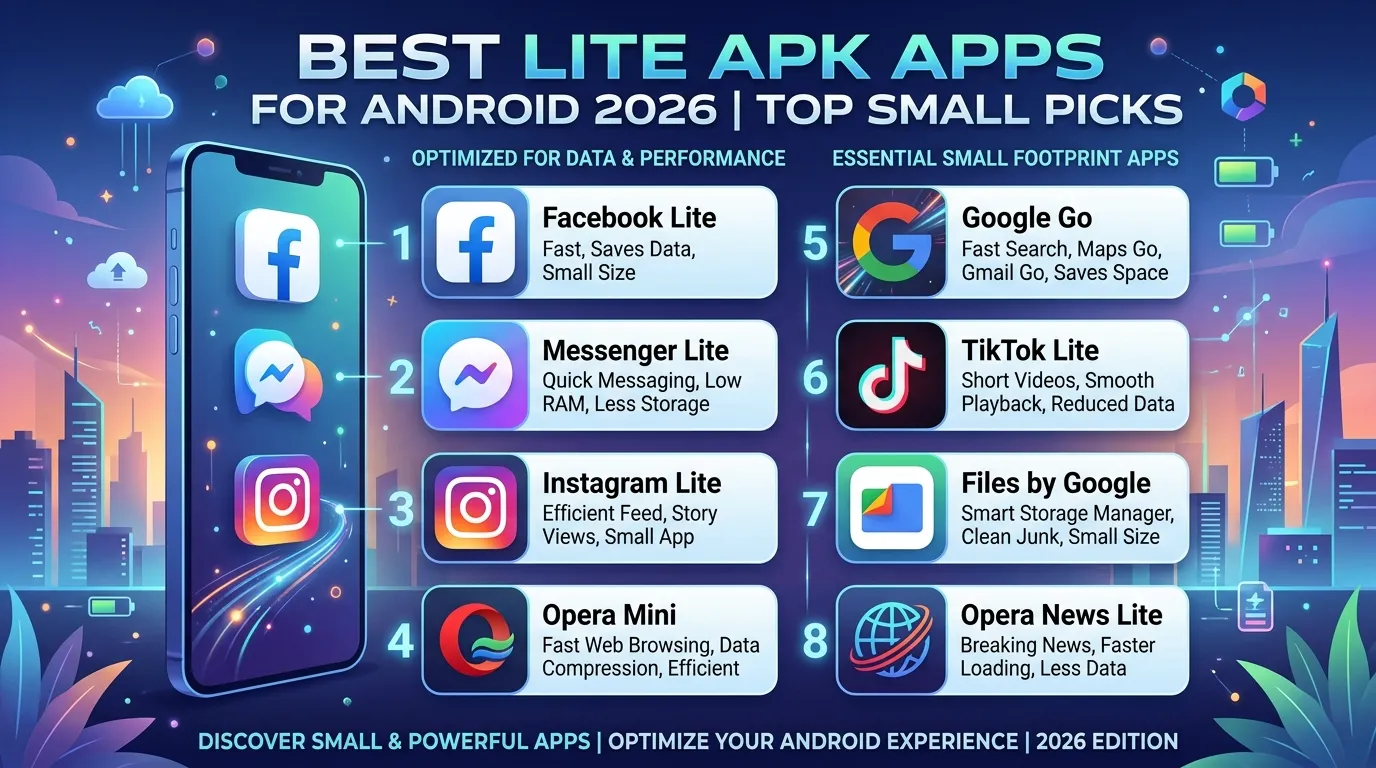
Here’s something that surprises most people: some of the world’s most popular apps have official “lite” versions that run faster, use less storage, and consume a fraction of the mobile data of their full-size counterparts. If your Android phone has limited storage, a slower processor, or an expensive data plan, a lite APK might be exactly what you need.
Lite apps are official, lightweight versions of popular applications designed specifically for devices with limited resources. They’re built by the same developers who make the full versions, not third parties and they’re available directly from the Google Play Store.
In 2026, the lite APK ecosystem has expanded significantly. More developers now recognize that a large portion of their global user base relies on budget Android devices with 2GB RAM, 16GB storage, and expensive mobile data. Lite apps serve these users without compromise.
In this guide, you’ll learn what lite APKs are and how they differ from full apps, which popular lite apps are genuinely worth downloading, how to find them on the Play Store, what to watch out for, and how to get the most from lightweight apps on any Android device. Let’s get into it.
What Is a Lite APK and How Does It Differ from a Regular App?
A lite APK is a lightweight, stripped-down version of a popular application. Developers create these specifically to serve users with lower-end devices, limited storage space, slow internet connections, or expensive mobile data plans.
The key distinction between a lite app and a regular app is intentional feature reduction for the sake of performance. Lite apps remove the most resource-intensive elements: high-resolution image loading, video autoplay, complex animations, background sync while keeping the core functionality that makes the app useful in the first place.
What Lite APKs Typically Remove
Understanding what gets cut helps you decide whether a lite version meets your needs:
- High-resolution media loading images load at lower quality to save data
- Video autoplay videos only play when you explicitly tap them
- Background data sync lite apps sync less frequently to save battery
- Complex animations transitions are simplified or removed
- Push notification features some lite apps reduce notification frequency
- Offline content caching less content stored locally to save storage
What Lite APKs Keep
Despite these reductions, lite apps preserve what actually matters:
- Core messaging, browsing, or social features
- Account login and profile management
- Essential notifications for direct messages and mentions
- Basic media sharing capabilities
- Search and discovery functionality
Most importantly, official lite apps come from the same developers as the full versions. Facebook Lite comes from Meta. YouTube Go (while discontinued, it was from Google). Messenger Lite came from Meta. These aren’t third-party knockoffs; they’re intentional, supported products.
Practical Tip: Before assuming a lite app is too limited, try it for one week. Most users discover that 80% of their daily app usage involves only the core features that lite versions preserve perfectly; the heavy features they miss are ones they rarely used anyway.
Why Lite APK Apps Matter in 2026
You might wonder with Android phones getting more powerful every year, why do lite apps still matter? The answer lies in who actually uses Android globally.
The majority of Android users worldwide don’t own flagship smartphones. Hundreds of millions of people use devices with 2GB RAM, 16GB internal storage, and limited monthly data allowances. For these users, installing the full version of Facebook, Instagram, or Twitter consumes a significant portion of their available storage and makes their device noticeably slower.
The Real Impact of Heavy Apps
A single full-size social media app can consume 200MB to 500MB of storage after installation. As you use the app, its cache grows, sometimes reaching 1GB to 2GB over time. On a device with 16GB of total storage (of which the operating system uses 6GB to 8GB), this quickly creates serious space problems.
Moreover, data consumption matters enormously in markets where mobile data is expensive and plans are limited. A full Instagram session that autoloads high-resolution photos and videos can consume 100MB to 200MB in thirty minutes. A lite APK version of the same app might use 20MB to 30MB for the same session.
Furthermore, lite apps run noticeably faster on low-RAM devices. When an app is designed to run in 50MB of RAM rather than 200MB, the device’s limited memory handles it more comfortably, reducing crashes, lag, and the frustrating “app not responding” messages that plague full apps on older hardware.
In my experience, users who switch from full apps to their lite equivalents on mid-range devices consistently report a meaningfully smoother experience not just in the lite app itself, but across the entire device, because more RAM is available for everything else.
Practical Tip: Check your current app sizes by going to Settings → Storage → Apps on your Android device. Sort by size. If any app exceeds 500MB including its cache, that’s a strong candidate for replacement with its lite version if one exists.
Best Lite APK Apps to Download for Android in 2026
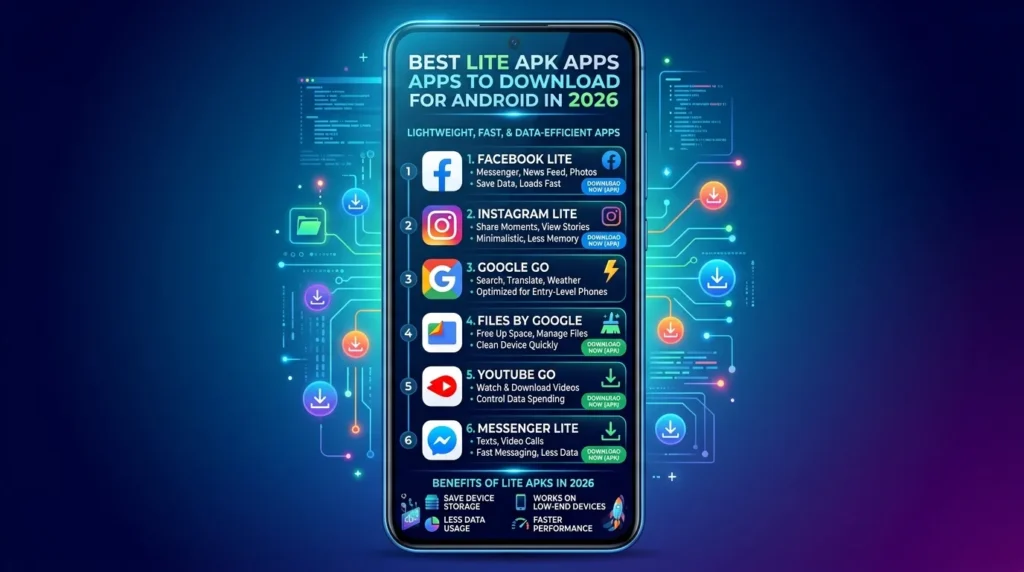
[Add 1 image inside article Alt Text: best lite APK apps Android 2026 Play Store]
These are the most useful and widely available lite APK apps for Android in 2026. All are available from the Google Play Store and come from official developers.
1. Facebook Lite Best Lite Social Media App
Facebook Lite is the official lightweight version of Facebook, developed directly by Meta. It delivers the core Facebook experience News Feed, posting, messaging, notifications, groups, and pages in a package that starts at just 2MB in size and runs smoothly on Android 2.3 and above.
The app loads faster on slow connections, consumes dramatically less mobile data, and works reliably on devices that the full Facebook app makes sluggish. Despite its tiny size, Facebook Lite handles virtually everything most Facebook users actually need daily.
- App size: ~2MB (grows slightly with use)
- Android requirement: Android 2.3+
- Data usage: Significantly lower than full Facebook
- Available on: Google Play Store
- Developer: Meta Platforms
2. Messenger Lite Best Lite Messaging App
Messenger Lite is Meta’s lightweight version of Facebook Messenger. It supports text messaging, voice calls, photo sharing, and sticker packs all the core communication features in a fraction of the space required by full Messenger.
The app is particularly valuable for users who primarily use Messenger for text conversations rather than video calls or games. Voice calls work reliably even on slower connections, making it practical in areas with limited 3G coverage.
- App size: ~5MB
- Android requirement: Android 4.0+
- Data usage: Minimal optimized for 2G and 3G
- Available on: Google Play Store
- Developer: Meta Platforms
3. LinkedIn Lite Best Lite Professional Network App
LinkedIn Lite delivers the professional networking features of LinkedIn job searching, profile management, connection requests, messaging, and feed browsing in a lightweight package designed for slower connections and limited storage.
For job seekers and professionals in markets with expensive data plans, LinkedIn Lite provides full access to job listings and professional communication without the heavy data footprint of the full app.
- App size: ~1MB
- Android requirement: Android 4.1+
- Data usage: Significantly reduced
- Available on: Google Play Store
- Developer: LinkedIn Corporation
4. Spotify Lite Best Lite Music Streaming App
Spotify Lite gives music streaming on limited storage and slow connections. The app includes a data saver mode and lets you set a storage limit for cached songs preventing Spotify from consuming unlimited space on your device. Core playback, playlist management, and search all work as expected.
The lite version removes some social features and has a smaller library cache, but for users who primarily stream rather than download, the experience is very close to the full app.
- App size: ~10MB
- Android requirement: Android 4.1+
- Data usage: Adjustable data saver mode available
- Available on: Google Play Store
- Developer: Spotify AB
5. Opera Mini Best Lite Browser
Opera Mini is a browser specifically engineered to compress web pages before they reach your device, reducing data consumption by up to 90% compared to standard browsers. It’s one of the original and most established lite APK tools for mobile web browsing.
The browser includes a built-in ad blocker, offline page saving, and a news feed. For users in areas with limited bandwidth or expensive data, Opera Mini remains one of the most practical browsing tools available.
- App size: ~8MB
- Android requirement: Android 5.0+
- Data compression: Up to 90% reduction
- Available on: Google Play Store
- Developer: Opera Norway AS
6. Maps Go Best Lite Navigation App
Maps Go is Google’s lightweight navigation app, designed for devices with limited RAM. It provides turn-by-turn directions, place search, and basic map browsing. However, it works as a companion to Google Maps rather than a fully standalone app with some features open in the browser version of Maps.
For users who primarily need navigation rather than complex trip planning or indoor maps, Maps Go delivers the essentials reliably.
- App size: ~1MB
- Android requirement: Android 4.4+
- Offline maps: ❌ Not available in lite version
- Available on: Google Play Store
- Developer: Google LLC
Practical Tip: Install Facebook Lite and Messenger Lite together if you use both. Combined, they use less than 10MB of storage compared to 500MB to 1GB for the full versions, an enormous saving that noticeably improves overall device performance on storage-limited phones.
How to Find Official Lite APKs on the Google Play Store
Finding genuine lite APK versions of popular apps requires knowing where to look and how to verify you’re getting the official version rather than an imitation.
Search by Exact App Name
The most reliable method is searching the Play Store for the exact lite app name. For example, search “Facebook Lite” not just “Facebook” to find Meta’s official lightweight version. The same applies to “Messenger Lite,” “LinkedIn Lite,” and “Spotify Lite.”
Always check the developer name before installing. Facebook Lite should be published by “Meta Platforms, Inc.” not a third party using similar branding.
Check the Developer’s Official App Listing
Many developers link to their lite versions from the main app’s Play Store listing. Scroll to the “More by [developer name]” section at the bottom of any major app’s listing to see all apps from the same company lite versions often appear here.
Be Cautious of Fake “Lite” Apps
The Play Store contains many apps with “Lite” in their names that have no connection to the original app’s developer. These are often low-quality alternatives or, in some cases, poorly performing copies designed to attract users searching for lite versions.
How to verify a lite app is genuine:
- ✅ Developer name matches the original app’s developer
- ✅ High download count (millions, not thousands)
- ✅ Consistent branding and icon with the original app
- ✅ Recent updates and active development
- ✅ Link from the official full app’s listing
Practical Tip: If you’re unsure whether a lite app is official, visit the developer’s website directly and look for links to their products. Meta’s official product page, for example, clearly lists both Facebook and Facebook Lite as supported applications.
Lite APK vs Full App What Do You Actually Lose?
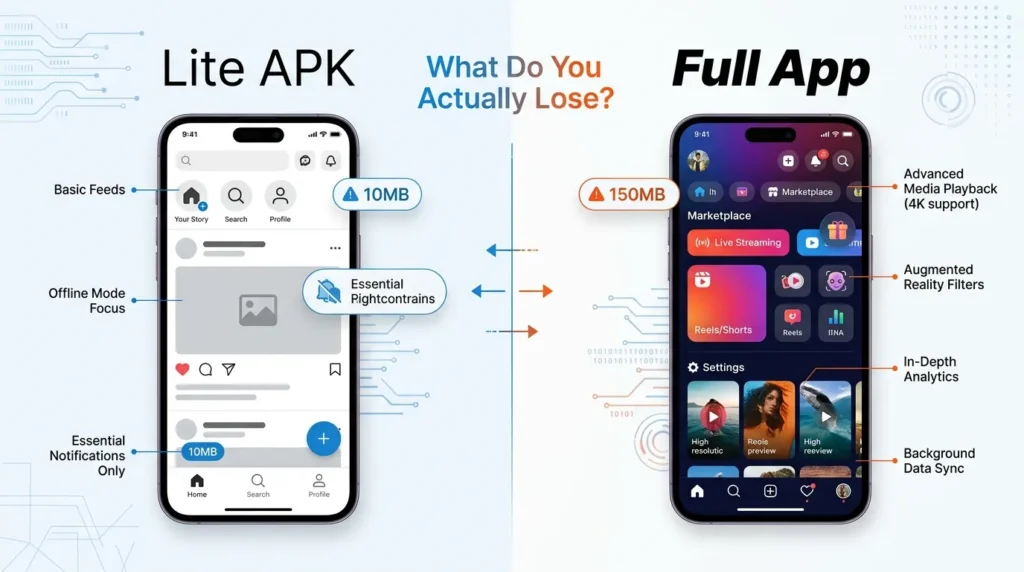
This is the question most users genuinely want answered before switching. Here’s an honest breakdown of what the lite APK experience costs you compared to the full version and what it doesn’t.
What You Keep in Lite Versions
The core value of most social and communication apps remains intact in lite versions. You can still:
- Post content, comment, and react to posts (Facebook Lite)
- Send and receive messages and voice calls (Messenger Lite)
- Browse job listings and connect professionally (LinkedIn Lite)
- Play music and manage playlists (Spotify Lite)
- Navigate and find places (Maps Go)
- Browse websites quickly (Opera Mini)
For users who primarily use these apps for their fundamental purposes staying connected, communication, job hunting, listening to music lite versions handle daily needs comfortably.
What You Lose in Lite Versions
However, lite apps do make meaningful concessions:
- Video quality is reduced or unavailable in some lite apps
- Stories and Reels features are limited or absent in social media lite apps
- Offline download features are reduced (particularly Spotify Lite)
- Background refresh is less aggressive, meaning content takes slightly longer to load on first open
- Advanced filters and editing tools for photos are simplified or removed
- Marketplace and gaming features in Facebook Lite are basic compared to the full version
For casual and moderate users, these omissions rarely matter. For power users who heavily rely on video content, advanced editing, or platform-specific features like marketplace, the full app may remain necessary.
Practical Tip: Keep one full app installed only if there’s a specific feature you use regularly that the lite version genuinely doesn’t support. For everything else switch to lite and reclaim that storage and RAM immediately.
How to Get the Best Performance from Lite Apps
Even lite APK apps benefit from some optimization on your Android device. These habits ensure you get the smoothest possible experience.
Clear Cache Regularly
Even lite apps accumulate cache over time. Go to Settings → Apps → [App Name] → Storage → Clear Cache monthly. This removes temporary files without affecting your account data or saved content. Regular cache clearing keeps lite apps running at their designed lightweight performance level.
Restrict Background Data
Lite apps already use less background data than full versions, but you can restrict this further. Go to Settings → Apps → [App Name] → Data Usage → Restrict Background Data. This ensures the app only syncs and updates when you actively open it, ideal for users on limited data plans.
Keep Lite Apps Updated
Lite apps receive updates just like full versions. Updates bring bug fixes, security patches, and occasional feature additions. Enable automatic updates for your lite apps through the Play Store to always run the latest, most optimized version.
Use Wi-Fi for Initial Setup
When you first install a lite app, initial account sync and content loading happens automatically. Do this on Wi-Fi to avoid consuming mobile data during setup. After the initial sync, the app’s lite data optimization handles subsequent usage efficiently.
Combine Lite Apps with a Lite Browser
Using Opera Mini alongside social media lite apps creates a genuinely lightweight total browsing and social experience. Together, this combination handles the vast majority of everyday smartphone tasks while consuming a tiny fraction of the storage and data that full app equivalents would require.
Practical Tip: After installing several lite apps, restart your Android device once. This clears RAM that previous full apps may have cached and gives the lite apps a clean environment to run in; you’ll notice the speed improvement immediately after the restart.
[Internal Link: Best Tips to Speed Up a Slow Android Phone in 2026]
Lite APK Apps Comparison Table
| App | Full App Size | Lite App Size | Data Savings | Offline Features | Android Requirement | Best For |
| Facebook Lite | ~400MB+ | ~2MB | Up to 70% | ❌ Limited | Android 2.3+ | Low-storage social browsing |
| Messenger Lite | ~200MB+ | ~5MB | Significant | ❌ No | Android 4.0+ | Text messaging and voice calls |
| LinkedIn Lite | ~100MB+ | ~1MB | Major | ❌ No | Android 4.1+ | Job search on limited data |
| Spotify Lite | ~100MB+ | ~10MB | Adjustable | ⚠️ Limited | Android 4.1+ | Music on limited storage |
| Opera Mini | ~8MB | ~8MB (IS lite) | Up to 90% | ⚠️ Saved pages | Android 5.0+ | Data-saving web browsing |
Frequently Asked Questions
What is a lite APK and is it safe to install?
A lite APK is an official, lightweight version of a popular app created by the original developer. Apps like Facebook Lite, Messenger Lite, and Spotify Lite are published by their respective companies Meta and Spotify directly on the Google Play Store. They’re completely safe to install when downloaded from the official Play Store. The term “lite APK” only becomes risky when applied to unofficial third-party versions claiming to be lite alternatives.
Do lite APK apps work on any Android phone?
Yes in fact, lite apps are specifically designed to work on older and lower-spec Android devices. Facebook Lite supports Android 2.3 and above, making it compatible with devices many years old. Most lite apps support Android 4.0 or higher. This broad compatibility is one of the key reasons lite apps exist to serve users whose devices can’t run current full app versions smoothly.
Do I lose important features by using a lite APK instead of the full app?
You lose some features, primarily video-heavy content, advanced editing tools, and certain platform-specific add-ons. However, core communication, content browsing, and account management features remain intact. For most everyday users, the features removed from lite apps are ones they use rarely if ever. Trying a lite app for one week is the best way to assess whether the trade-off suits your actual usage patterns.
Can I have both the lite and full version of an app installed at the same time?
On most Android devices, yes lite and full versions of apps like Facebook and Messenger have different package names and can coexist. However, running both simultaneously defeats the purpose of using a lite version. Install the lite version, test it for your needs, and uninstall the full version once you’re satisfied with the lite experience.
Where should I download lite APK files safely?
Always download lite APK apps exclusively from the official Google Play Store. Search by the exact app name “Facebook Lite,” “Messenger Lite,” “Spotify Lite” and verify the developer matches the original company. Never download lite APK files from third-party websites, as these may be unofficial, modified, or contain malware. The official Play Store versions are always the safest and most reliable option.
Conclusion
Lite APK apps represent one of the smartest choices you can make for your Android device in 2026 especially if you’re working with limited storage, expensive data, or older hardware. They deliver the core value of the world’s most popular applications in a fraction of the space and with significantly lower resource demands.
To recap the three key takeaways: official lite apps from major developers are completely safe and available directly from the Google Play Store; switching to lite versions can dramatically improve overall device performance by freeing RAM and storage; and the features most users need daily are all present in well-designed lite apps.
Start with Facebook Lite and Messenger Lite if you use either platform the combined storage saving versus the full versions is remarkable. Download them from the Play Store today and see the difference for yourself.
Here’s a question for you: which apps currently take up the most storage on your phone, and have you checked whether a lite version exists for any of them? Share what you find in the comments below.
Disclaimer
This article is written for informational and educational purposes only. All lite applications mentioned are official products available through the Google Play Store, published by their respective original developers. We do not promote, endorse, or link to unofficial “lite” apps, modified APK files, or any third-party versions claiming to be lightweight alternatives to popular apps. Always download applications exclusively from the official Google Play Store to ensure you receive genuine, safe, and regularly updated versions. The author accepts no responsibility for issues arising from the use of unofficial or third-party applications. App sizes and features mentioned reflect information available at the time of writing and may change with future updates.