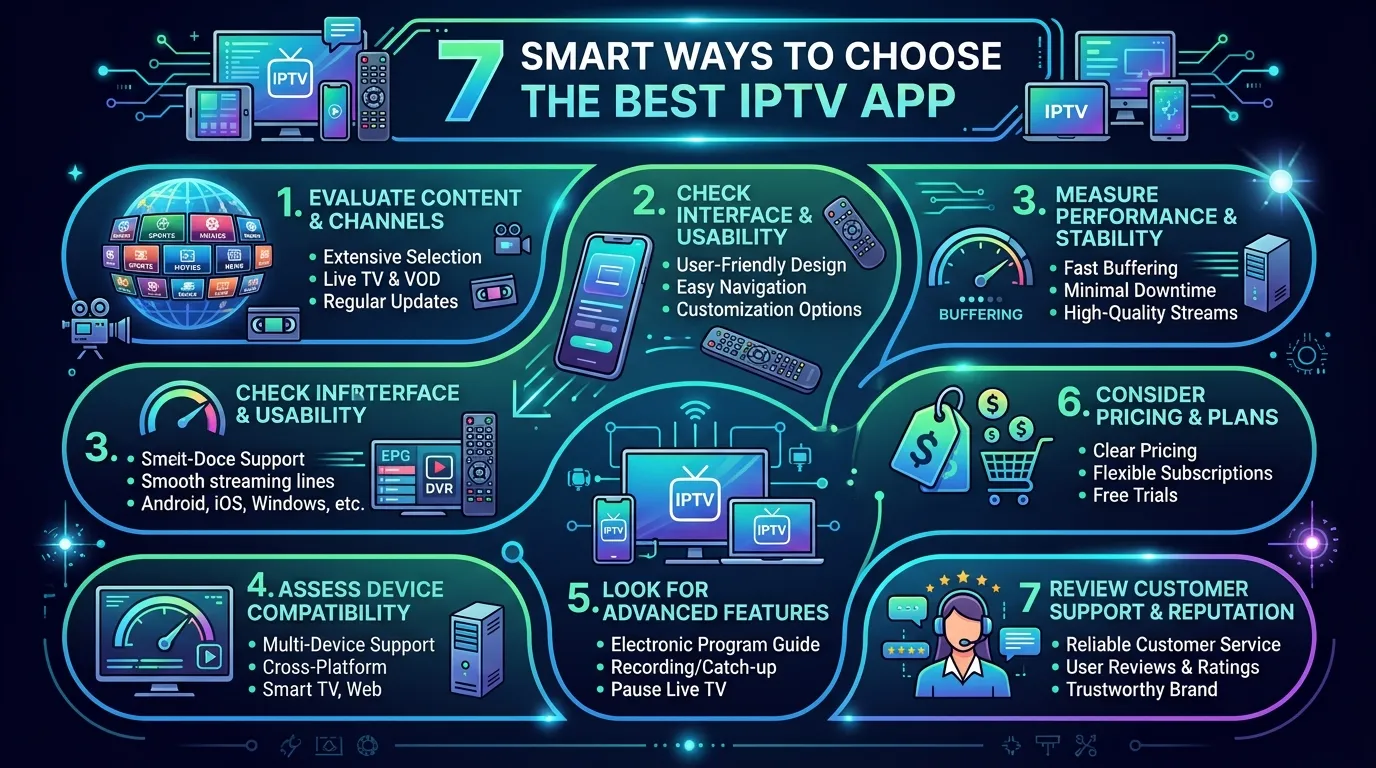
Finding a good IPTV app can feel harder than it should. Many options look similar, yet the viewing experience can vary a lot.
One player may run smoothly on your television. Others may freeze, hide key settings, or feel confused. Therefore, choosing the right option matters.
This guide will help you compare features without getting lost in technical terms. You’ll learn what to check, what to avoid, and how to set everything up safely.
I’ll also explain a key point many beginners miss. An app usually acts as a player. It does not automatically provide channels or viewing rights.
So, let’s make your choice simple, practical, and legal.
What Is an IPTV App, and How Does It Work?
An IPTV app plays television content through an internet connection. Instead of using a cable line, it streams data online.
The app often loads a playlist, portal, or login from your service provider. Then, it organizes live channels and on-demand content.
However, the app and the content service are usually separate. Think of the app as a media player. Your provider supplies the approved content source.
A typical setup includes:
- A compatible phone, tablet, television, or streaming device
- A stable internet connection
- A legal IPTV service or provider account
- A playlist, portal address, or account login
- An IPTV player that supports your provider’s format
For example, imagine buying a new television remote. The remote helps you control the screen. Yet, it does not create the channels.
The same idea applies here. Your IPTV app helps you access and manage content you already have permission to watch.
Common Features You May See
Most players offer a similar core set of tools. Still, the details can affect daily use.
Look for features such as:
- Live television playback
- Electronic programme guide support
- Catch-up television, when your provider allows it
- Video-on-demand libraries
- Favourites and channel groups
- Parental controls
- Multi-screen viewing
- Subtitle and audio track controls
Also, check whether the layout feels clear. A long feature list means little if you can’t find anything quickly.
How to Choose the Right IPTV App
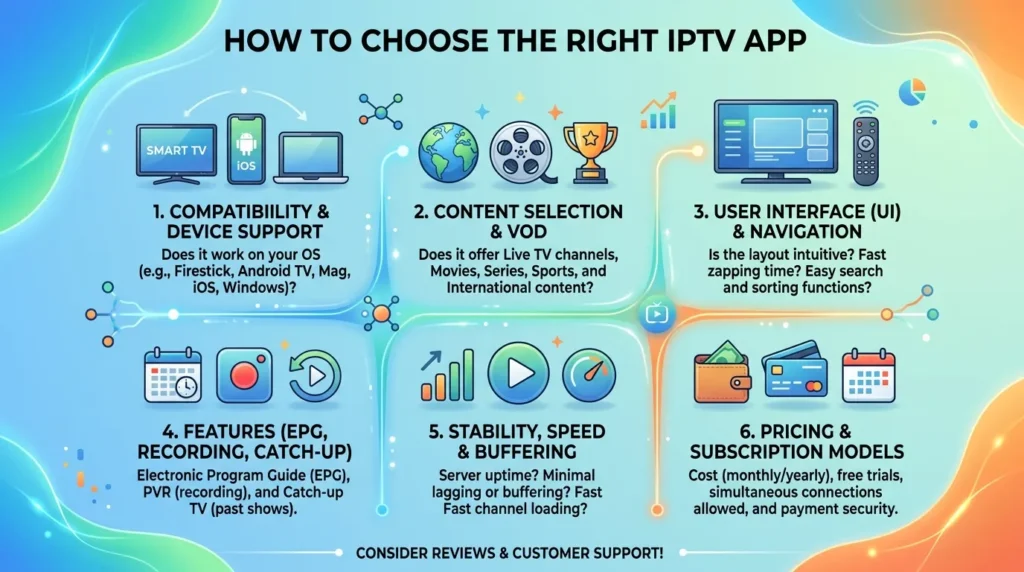
A strong IPTV app should fit your device, provider, and viewing habits. Therefore, don’t choose one based on screenshots alone.
Use the steps below before you install or pay for anything.
1. Check Device Compatibility
First, confirm that the player supports your device. Some apps work well on phones but feel awkward on a large screen.
Check support for:
- Android phones and tablets
- iPhone and iPad
- Android TV or Google TV
- Amazon Fire TV devices
- Apple TV
- Smart television systems
- Windows or macOS computers
Also, review the app’s remote-control support. A television player should work well without a touch screen.
2. Match the App With Your Provider
Next, ask your provider which connection method it supports. Common options include M3U playlists, portal logins, and API-based accounts.
Your IPTV app must support the same method. Otherwise, you may not be able to add your service.
Before installing, check these details:
- Which login format does your provider use?
- Does it offer an electronic programme guide?
- Does it support catch-up or on-demand viewing?
- Can you use more than one device?
- Does it limit simultaneous streams?
This short check can save a lot of frustration.
3. Test Playback Quality
A polished menu does not guarantee smooth playback. Therefore, test the player with content from your legal provider.
Watch for:
- Fast channel loading
- Stable video playback
- Clear sound
- Correct picture size
- Working subtitles
- Easy quality controls
Also, switch between several channels. A good IPTV app should recover quickly when one stream has a temporary issue.
Pro Tip: Test the free version first. Use it during your normal viewing hours, when your home network is busiest.
4. Review Privacy and Permissions
Some players ask for more access than they need. Therefore, read the permission list before you install one.
A streaming player may need network access. It may also need storage access for local files or recordings.
However, be cautious if it requests unrelated data. For example, it should not need your contacts for normal playback.
Download apps from trusted stores whenever possible. Also, read the privacy policy before entering account details.
5. Compare Free and Paid Features
Many players offer a free version. However, advanced tools may require a one-time payment or subscription.
Paid features may include:
- Ad removal
- Multiple playlists
- Cloud sync
- Picture-in-picture mode
- Recording tools
- Advanced guide layouts
- Multi-screen viewing
Choose based on real needs. Don’t pay for ten extra tools if you only watch a few live channels.
6. Check Updates and Support
A reliable IPTV app should receive regular maintenance. Updates can fix playback bugs, device issues, and security problems.
Also, look for clear support options. A useful help page can save you hours later.
Before choosing, review:
- The date of the latest update
- Recent user feedback
- Setup guides
- Contact or support options
- Known device limits
Avoid abandoned apps, even when they still open. New device updates may break them without warning.
7. Keep Legal Access in Mind
Finally, use content from licensed and trusted providers. An app does not make an unlicensed stream legal.
Be careful with services that promise every premium channel for a tiny fee. That offer may involve stolen streams, poor security, or sudden shutdowns.
Therefore, check the provider’s identity and terms. You should understand what you’re buying before you share payment details.
IPTV App Features Compared by User Type
Not everyone needs the same setup. A casual viewer may value simplicity. A power user may want advanced control.
The table below can help you focus on useful features.
| User type | Most useful features | What to avoid |
| Beginner | Simple setup, clear guide, favourites | Complex menus and hidden settings |
| Family | Profiles, parental controls, easy search | Weak account controls |
| Sports viewer | Fast channel switching, stable playback | Slow loading and poor guide data |
| Traveller | Mobile support, low-data settings | Device locks and unclear limits |
| Advanced user | Multiple playlists, recording, custom groups | Apps with limited format support |
For most people, ease of use matters more than endless settings. Therefore, start with your daily routine.
Do you mostly watch live news? Then, fast loading and a clear guide should come first.
Do you prefer films and series? In that case, search, watch history, and subtitle support matter more.
Also, consider the people who share your screen. A simple IPTV app may suit a family better than a powerful but confusing player.
How to Set Up an IPTV App Safely
Setup steps vary by device. Still, the basic process stays similar.
Follow this simple order:
- Choose a legal service provider.
- Confirm the provider’s supported login method.
- Download a compatible player from a trusted source.
- Open the player and choose “Add playlist” or “Add account.”
- Enter the details supplied by your provider.
- Add guide information, when available.
- Test live channels and on-demand content.
- Adjust subtitles, audio, and picture settings.
- Create favourites for faster access.
- Add a parental PIN when children use the device.
Never share your account details in public forums. Also, avoid screenshots that show usernames, passwords, or portal links.
If the stream buffers, test your internet before blaming the app. Restart your router, close heavy downloads, and try a wired connection.
Then, lower the video quality for a moment. If playback improves, your connection may need more headroom.
Basic Troubleshooting Checklist
Try these steps in order:
- Restart the IPTV app
- Restart your streaming device
- Test another channel
- Check another app on the same network
- Update the player
- Clear the app cache, when available
- Re-enter the provider details
- Contact the legal service provider
This order helps you find the real cause. It also stops you from changing too many settings at once.
Common IPTV App Mistakes to Avoid
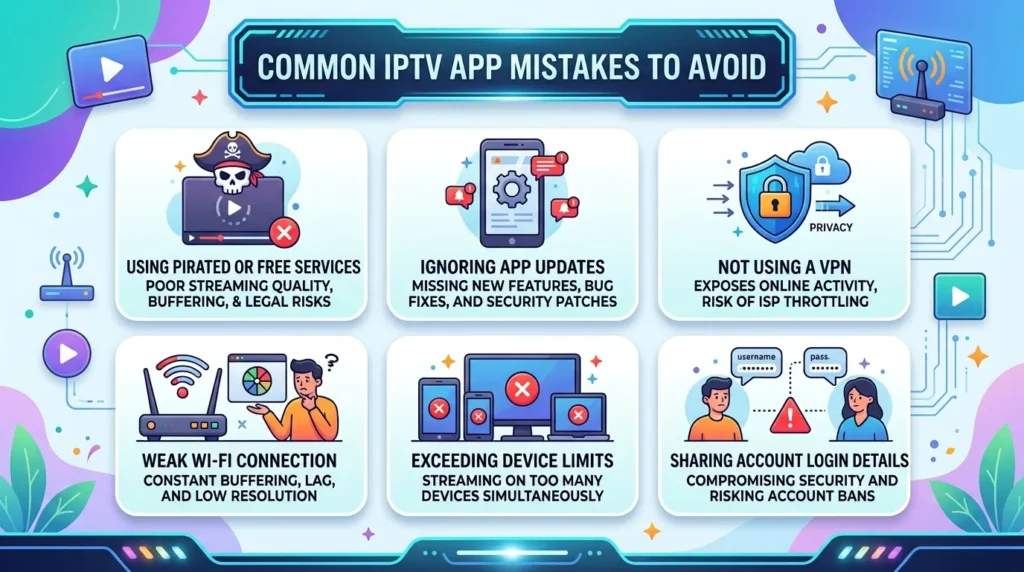
Small mistakes can create big problems. Fortunately, most are easy to prevent.
Choosing Only by Price
The cheapest player is not always the best value. A low price means little if the app crashes every evening.
Instead, compare stability, support, and device fit.
Assuming the App Includes Channels
Many beginners install a player and expect channels to appear. However, most players need details from a separate provider.
Read the app description before installation. It should explain what the software includes.
Ignoring Provider Limits
Your provider may limit devices or simultaneous streams. Therefore, check the rules before using one account across several rooms.
Breaking those limits may cause login errors or account blocks.
Installing Files From Unknown Websites
Unofficial downloads can include harmful code. They may also use old or altered versions.
Use a recognised app store or the developer’s verified website. In addition, keep your device security settings active.
Skipping the Trial Period
A player can look perfect in a review. Yet, it may not suit your device or remote.
Test the IPTV app before buying a long plan. Also, try it at busy times.
Forgetting Parental Controls
Live guides and on-demand libraries may contain adult-rated content. Therefore, set a PIN when children share the device.
Also, review content groups and hide categories you don’t use.
Blaming Every Issue on the Player
Buffering can come from the provider, home network, device, or app. As a result, test each part separately.
That simple habit leads to faster fixes.
IPTV App FAQ
Is an IPTV App Legal?
Yes, the software itself can be legal. The key issue is the content source and viewing rights.
Use licensed providers and approved subscriptions. Avoid services that cannot explain where their channels come from.
Does an IPTV App Come With Channels?
Usually, no. Most players only organise and play content from a provider.
You often need a playlist, portal, or account login. Therefore, read the product page before downloading.
What Internet Speed Do I Need?
The answer depends on video quality and household use. Higher resolution needs more stable bandwidth.
Also, other devices can affect playback. Test your connection during normal viewing hours for a realistic result.
Why Does My IPTV App Keep Buffering?
Buffering may come from weak Wi-Fi, network traffic, provider issues, or device limits. First, test another channel and another app.
Then, restart your router and device. A wired connection can also improve stability.
Can I Use One Account on Several Devices?
That depends on your provider’s rules. Some services allow several devices but limit simultaneous playback.
Check the account terms first. Otherwise, you may see login or connection errors.
What Is an Electronic Programme Guide?
An electronic programme guide shows channel schedules inside the player. It helps you see what is live and what comes next.
However, the guide data often comes from your provider. The IPTV app only displays that information.
Should I Use a Free or Paid Player?
Start with a free option when you have basic needs. Then, consider a paid version for added control or fewer ads.
Choose based on useful features, not hype. A simple player may already do everything you need.
Final Thoughts
Choosing the right IPTV app becomes easier when you focus on your real needs. Start with device support, provider compatibility, and simple controls.
Then, test playback, privacy, and support before paying. Also, remember that a player does not replace a licensed content provider.
In my experience, the best choice often feels boring in a good way. It opens quickly, works with your remote, and stays out of your path.
So, avoid flashy promises and choose a player you can trust. Test it during normal viewing hours and protect your login details.
Most importantly, use legal content sources. That approach will give you a smoother and safer streaming setup.