
APK Emulator: Run Android Apps Seamlessly on Your PC

In modern day society, smartphones are an essential part of every living. As many as hundreds of operating systems exist on the market, Android has come out on top due to its flexibility, extensive app ecosystem, and affordability. There are millions of apps available for Android that can be downloaded as APK (Android Package) files and can be used for many different purposes like gaming, productivity, communication and entertainment, but some people would like to be able to use those apps on a larger screen or even just try them out. This is where apk emulators come into play.
An apk emulator is a software app that allows users to run Android apps on a PC or laptop and have a seamless experience. So let’s see how an apk emulator works and some of their pros and cons. Here we are looking at the best apk emulators out there.
What is an APK Emulator?
APK emulator is a software application that can emulate the Android operating system on other non Android ( e. g., Windows / macOS computer ) computers. Emulating Android allows users to directly run APK files on computers. APK files are the common installation file format for Android applications containing all the necessary files and instructions to install and run an application. APK emulators create a virtual Android device. They translate Android system calls and application commands into something that the computer’s operating system understands.
How APK Emulators Work
The functioning of an APK emulator depends on several different components. First it creates a virtual Android environment ( with the hardware and software that make up a normal mobile device such as CPU, memory, storage and resolution ). It then runs the Android operating system inside the virtual environment which uses the Android Runtime ( or Dalvik virtual machine ) which executes instructions contained in the app.
Since most PCs don’t have touchscreens, emulators also come with input mapping that will translate keyboard, mouse, or controller input into touch gestures. Advanced emulators can also emulate the device’s sensors (GPS, accelerometer, and camera) so that apps based on those sensors can run correctly. Once the environment is built into the emulator, users can begin downloading APK files (by clicking the “Download” button in the emulator or simply dragging and dropping APK files into the software).
Benefits of Using an APK Emulator
There are several key benefits of APK emulators that different types of users will find appealing. The main one is accessibility. With an emulator, you can run Android apps on computers that don’t support Android like Windows or macOS computers. This is especially useful for mobile only apps or ones that are otherwise unavailable on desktop machines. Another big advantage is faster performance. Lots of people like using APK emulators to play mobile games on a larger screen with a keyboard/mouse/game controller because it will give you better precision and overall experience.
Also many emulators have multiple instances built in which means you can run multiple apps or game accounts on one PC.
Popular APK Emulators
There are some very popular APK emulators out there though for different purposes one of the more popular ones is BlueStacks and was made mainly for gamers. It is very fast and has key mapping capabilities as well as support for multiple instances. The other popular emulator is NoxPlayer and is good for stability, versatility and recording scripts for repetitive actions. LDPlayer is lightweight and optimized for gaming applications. It should run smoothly even on the older PCs.
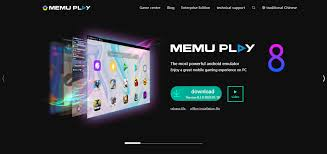
MEmu is the best tool for installing APK files as it has drag-and-drop installation, and you can have more than one instance for multiple purposes. Developers can use Android Studio Emulator. It is a paid option offered by Google. While it is much less intuitive for non-developers it will emulate almost any device you want and will have a complete set of tools for debugging. So, it should still be used for serious app development.
How to Install and Use an APK Emulator

From there users can just download the emulator. After the official website redirects users to download the emulator, users should check if it has the appropriate version for their operating system. After downloading the emulator, users are forced to launch it in order to start an android environment inside of it (after the setup process is complete, users can officially start installing APK files directly into the emulator’s interface they can get APKs from trusted sources or just drag-and-drop the downloaded file inside the emulator’s user interface and the apps should run in a slightly less complex version of what an Android device (input from the mouse, keyboard and controller is done via gestures.
Some more advanced emulators even allow users to tweak the resolution, CPU, RAM etc to optimize performance).
Common Use Cases for APK Emulators
There are many reasons why people use APK emulators. Of course the most common one is mobile gaming on PC. For the gamers there ‘s more space on the display and better control ( you can run multiple accounts simultaneously in many games ). For the developers there ‘s more room for testing and debugging without getting multiple physical devices. Also enterprises use the APK emulators to play productivity apps on their desktops. So if a business uses an app such as WhatsApp, Slack or Google Drive its workflow and multitasking can be optimized. Teachers use emulators to show off Android apps in classrooms or online courses making the technology accessible and accessible to students.

Limitations of APK Emulators
While there are definitely several advantages to APK emulators, there are some disadvantages too. Some problems are bound to happen with performance, especially on lower-end PCs, as most APKs use a lot of system resources. Some apps will be unable to work properly when you download them, especially those with advanced sensors or DRM protection or Google Play Services. Today’s SecurityAnd lastly, while APK emulators can implement some of Android’s features almost exactly as on the real device, some apps will behave differently when you’re using an emulator and that’s not advisable to do precise testing or run highly sensor-based apps.
Choosing the Right APK Emulator
BlueStacks LDPlayer&NoxPlayerA fast and optimized emulator for gaming, mobile web browsing, 3D mapping and emulating other popular apps. Android Studio Emulator Best for development and testing Apps It is the most accurate and reliable emulation. MEmu / LDPlayer Best for light usage Low system requirements.
Tips for a Better APK Emulator Experience
To get the best performance out of the emulator you will also need sufficient hardware resources. The best way to enjoy an efficient experience is to have enough RAM, CPU and graphics acceleration available on the machine. Ensure to install the latest version of the emulator because many emulator applications don’t run properly without updating to the latest version. You should also download the APK from safe sources to avoid malware infections and optimization of various game settings including resolution and allocated RAM and CPU cores.
Conclusion
APK emulators have changed the way people can get Android apps downloaded and play on PC. It ‘s a great alternative to mobile apps for gamers, developers, businesses and casual users. By emulating the Android OS, APK emulators give you faster access to your favorite apps, better performance, ability to run multiple apps, and secure isolates. There are some smaller limitations of APK emulators, such as problems with performance and compatibility with certain operating systems, however, APK emulators are always improving and developing stronger features.
Create the highest-quality games and watch them stream on a larger screenThe best way to use APK emulators is by creating a simple and easy app. Look no further than OpenJournal on your favorite mobile games to view them on a bigger screen. Test apps efficiently by installing your favorite applications into your browser or launch a new version with a click. You can also enjoy better productivity thanks to the use of APK emulators.